
Featured image for danby air conditioner remote control instructions
Image source: paversealernj.com
Master your Danby air conditioner with ease using the intuitive remote control instructions designed for quick setup and daily use. From adjusting temperature and fan speed to activating sleep mode and timers, every function is clearly explained to help you maximize comfort and efficiency. No more guesswork—just simple, step-by-step guidance to keep your space perfectly cool.
Key Takeaways
- Master the basics: Always start by matching your remote’s model number to your Danby unit.
- Power and mode: Use Power to turn on and Mode to switch between cooling, fan, or dehumidify.
- Set temperature: Adjust with +/– buttons; ideal range is 68°F–78°F for efficiency.
- Timer function: Schedule on/off times via Timer to save energy and enhance comfort.
- Clean filters: Reset the filter indicator after cleaning to maintain performance and air quality.
- Battery check: Replace weak batteries immediately to ensure responsive remote control operation.
📑 Table of Contents
- Why Your Danby Air Conditioner Remote Control Is Your Best Friend in Summer
- Getting Started: Unboxing and Setting Up Your Remote
- Mastering Basic Operations: Cooling Made Simple
- Advanced Features: Getting the Most Out of Your Remote
- Troubleshooting Common Remote Issues
- Maintenance and Care: Keeping Your Remote in Top Shape
- Final Thoughts: Your Remote, Your Comfort
Why Your Danby Air Conditioner Remote Control Is Your Best Friend in Summer
It’s 95°F outside, the sun is beating down, and your home feels more like an oven than a sanctuary. You reach for your Danby air conditioner remote control, press a button, and within seconds, a cool breeze starts flowing through the room. That little handheld device? It’s your summer hero. But what if it’s not working as smoothly as it should? Maybe the screen is blank, the buttons don’t respond, or you’re just not sure which setting to use. Don’t worry—you’re not alone. Many people struggle with getting the most out of their Danby air conditioner remote control, and that’s exactly why we’re here.
Whether you’ve just unboxed your Danby AC unit or you’ve been using it for years, understanding the remote control can make a world of difference. From setting the perfect temperature to troubleshooting common issues, this guide walks you through Danby air conditioner remote control instructions in plain, simple language. Think of it as a friendly chat with someone who’s been in your sweaty shoes before. We’ll cover everything from basic operations to advanced features, so you can stay cool, calm, and in control—no tech degree required.
Getting Started: Unboxing and Setting Up Your Remote
What’s in the Box?
When you first open your Danby air conditioner packaging, you’ll typically find the AC unit, a user manual, mounting hardware (if it’s a window unit), and of course, the remote control. The remote is usually tucked in a small plastic bag with a protective film over the screen. Take a moment to remove the film and check for any visible damage. Most Danby remotes are compact, lightweight, and designed for one-handed use—perfect for keeping on your nightstand or coffee table.
Visual guide about danby air conditioner remote control instructions
Image source: replacementremotes.com
Inside the battery compartment (usually on the back), you’ll find two AAA batteries. Some models come with them pre-installed; others require you to insert them yourself. Pro tip: Use high-quality alkaline batteries. They last longer and reduce the chance of corrosion, which can damage the remote over time.
Powering On and Pairing the Remote
Once your batteries are in, press any button to wake up the remote. The LCD screen should light up, showing the current mode, temperature, and fan speed. If nothing happens, double-check the batteries—make sure they’re inserted correctly (positive and negative ends aligned). Also, check if the battery contacts are clean. A quick wipe with a dry cloth can fix a surprising number of “dead remote” issues.
Most Danby remotes connect automatically to the AC unit via infrared (IR). That means you just point the remote at the AC and press a button—no pairing code or Wi-Fi setup needed. However, make sure there’s a clear line of sight between the remote and the sensor on the AC unit (usually near the control panel). If you’re in another room or the remote is behind a couch, it might not work reliably.
Real-life example: Sarah from Ohio thought her remote was broken because it wouldn’t turn on her Danby window unit. After troubleshooting, she realized she was trying to control it from her kitchen—15 feet away and around a corner. Once she moved closer and pointed the remote directly at the unit, it worked perfectly. Lesson? Line of sight matters!
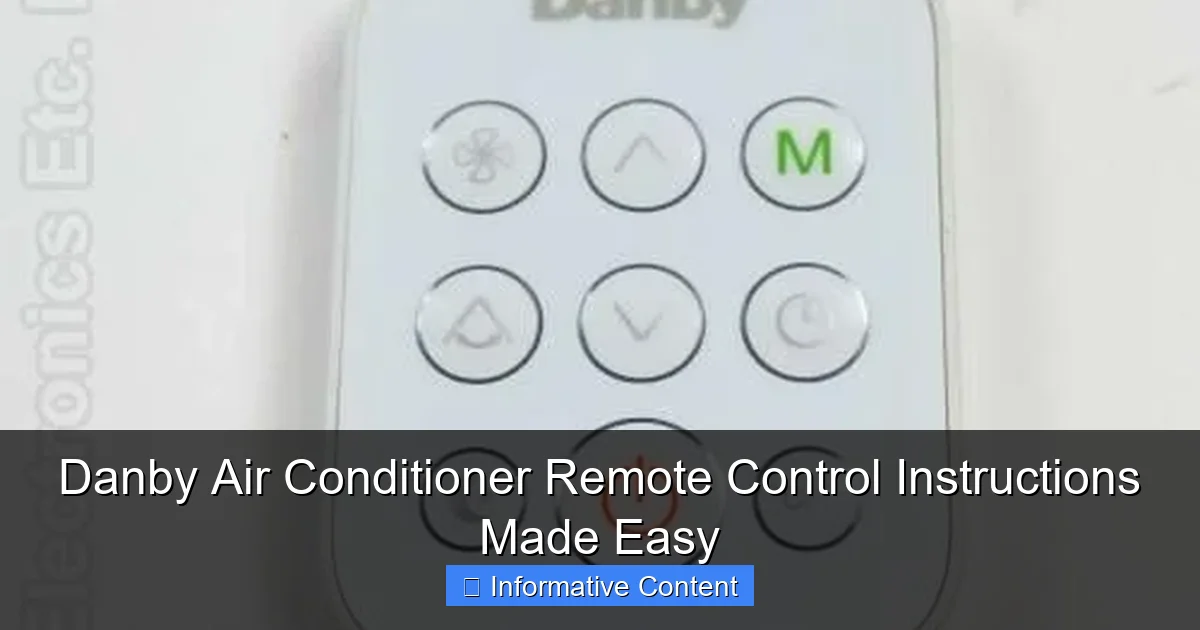
Understanding the Remote’s Layout
Danby remotes have a clean, intuitive design. Here’s what you’ll typically see:
- Power button: Turns the AC on or off.
- Mode button: Cycles through Cool, Fan, Dry, Heat (on heat pump models), and Auto modes.
- Temperature buttons (+/-): Adjust the set temperature (usually from 61°F to 86°F).
- Fan speed: Lets you choose between Low, Medium, High, or Auto.
- Timer: Sets on/off schedules.
- Swing (or Louver): Controls airflow direction (if your model supports it).
- Sleep mode: Optimizes cooling for nighttime use.
- Turbo (or Quick Cool): Runs the AC at maximum speed for 30 minutes.
Take a few minutes to explore these buttons. Press them one by one and watch how the AC responds. This hands-on approach helps you learn faster and reduces confusion later on.
Mastering Basic Operations: Cooling Made Simple
Turning On the AC and Selecting Modes
Start by pressing the Power button. You’ll hear a soft beep, and the unit will start up. Now, press the Mode button repeatedly until you see “Cool” on the remote’s display. This is the default setting for most users during hot weather.
Other modes you might use:
- Fan: Circulates air without cooling. Great for mild days or when you just want a breeze.
- Dry: Reduces humidity without lowering temperature much. Ideal for muggy, overcast days.
- Heat: Only on models with heat pump functionality. Reverses the cooling cycle to warm your room.
- Auto: The AC chooses the best mode based on room temperature. Convenient, but not always energy-efficient.
Tip: If you’re not sure which mode to use, “Cool” is your safest bet for summer. Save “Dry” for when it’s sticky but not hot, and “Fan” for when you’re trying to save energy.
Setting the Temperature and Fan Speed
Once in Cool mode, use the + and – buttons to set your desired temperature. Danby ACs usually allow settings from 61°F to 86°F. A common mistake? Setting it too low (like 65°F) and wondering why the room never feels cool. The AC will run constantly, increasing energy use and wear.
For optimal comfort and efficiency, set the temperature to around 72–75°F. This keeps the room cool without overworking the unit. If you’re sensitive to temperature, experiment to find your “sweet spot.”
Next, set the Fan Speed. Here’s a quick guide:
- Low: Quiet, gentle airflow. Best for sleeping or small rooms.
- Medium: Balanced noise and cooling. Good for general use.
- High: Maximum cooling. Use during heatwaves or in large rooms.
- Auto: The AC adjusts fan speed based on room temperature. Saves energy but can be noisier.
Real-life example: Mike from Florida uses “High” fan speed in the afternoon when the sun hits his apartment, then switches to “Low” at night for quieter operation. He says it’s the best of both worlds.
Using the Timer for Energy Savings
The Timer function is a game-changer. It lets you schedule when the AC turns on or off, so you’re not cooling an empty room.
To set the timer:
- Press the Timer button. The display will show “On” or “Off.”
- Use the + and – buttons to set the number of hours (from 0.5 to 24).
- Press Timer again to confirm.
Example: You leave for work at 8 AM and want the room cool by 6 PM. Set the “On” timer for 4 hours (so it turns on at 4 PM). Or, if you’re going to bed at 10 PM and want the AC off by 6 AM, set the “Off” timer for 8 hours.
This feature not only saves money on electricity but also reduces strain on the compressor, extending the life of your unit.
Advanced Features: Getting the Most Out of Your Remote
Sleep Mode: Cool Nights, Quiet Operation
Sleep mode is designed for nighttime use. When activated, the AC gradually adjusts the temperature and reduces fan speed to keep you comfortable while minimizing noise and energy use.
To enable Sleep mode:
- Press the Sleep button. The icon will appear on the display.
- The AC will raise the temperature by 1–2°F every hour (up to 4°F total) to prevent overcooling.
- Fan speed drops to Low or Medium-Low.
Why it matters: Many people wake up cold at night because the AC keeps cooling at the same rate. Sleep mode prevents this by adapting to your body’s natural temperature drop during sleep. Plus, it’s quieter, so you won’t be jolted awake by fan noise.
Tip: Combine Sleep mode with the Timer. For example, set the AC to turn on at 10 PM with Sleep mode enabled, then off at 6 AM. You’ll wake up to a perfectly cooled room without wasting energy.
Swing/Louver Control: Directing the Airflow
If your Danby AC has a Swing or Louver button, you can control the direction of the airflow. This is especially useful for window units, where the air blows straight out.
Press the button once to start the louvers moving up and down (or side to side, depending on the model). Press it again to stop them in a fixed position. For example, you might want the air blowing toward your bed at night or away from your desk during the day.
Pro tip: Avoid pointing the airflow directly at your body for long periods. This can cause dry skin, sore throat, or even muscle stiffness. Instead, aim it slightly above or to the side of where you’re sitting.
Turbo/Quick Cool: Beat the Heat Fast
When it’s sweltering and you need instant relief, hit the Turbo or Quick Cool button. This runs the compressor and fan at maximum speed for 30 minutes, rapidly lowering the room temperature.
After 30 minutes, the AC returns to its previous settings. Use this sparingly—it uses more energy and can shorten the compressor’s lifespan if overused. But for those “I can’t breathe” moments, it’s a lifesaver.
Energy-Saving Tips with Your Remote
Your remote isn’t just for comfort—it can help you save money too. Here’s how:
- Use Timer + Sleep mode: Automate your cooling schedule so the AC isn’t running when you’re not home or asleep.
- Set temperature wisely: Every degree below 75°F increases energy use by about 3–5%. Stick to 72–75°F for balance.
- Use Fan mode when possible: If it’s not too hot, just running the fan uses less power than cooling.
- Clean filters regularly: A dirty filter makes the AC work harder. Your remote can’t fix this, but it’s essential for efficiency.
Troubleshooting Common Remote Issues
Remote Not Working? Check These First
Before you panic, try these simple fixes:
- Replace the batteries: Even if the screen lights up, weak batteries can cause erratic behavior.
- Clean the IR sensor: Dust or grime on the remote’s front (where the IR light comes out) can block signals. Wipe it with a soft, dry cloth.
- Check the AC sensor: The IR receiver on the AC unit should be clean and unobstructed. No furniture or curtains in front of it!
- Reset the remote: Remove the batteries, wait 30 seconds, then reinsert them. This can clear glitches.
Screen Blank or Buttons Unresponsive
If the screen is dark or buttons don’t respond:
- Try a different set of batteries.
- Check for corrosion in the battery compartment. If you see white or green powder, clean it with a cotton swab and rubbing alcohol.
- Expose the remote to direct sunlight or a bright lamp for 10 minutes. Sometimes the screen’s backlight needs a “wake-up” call.
- Contact Danby support. Some models have a reset button inside the battery compartment (use a paperclip to press it).
AC Responds to Other Remotes or Devices
Danby ACs use standard IR codes, so other remotes (like from a TV or fan) might accidentally control it. To avoid this:
- Keep other remotes away from the AC.
- Use the AC’s manual controls (buttons on the unit) when possible.
- If the issue persists, contact Danby. They may have a way to “lock” the remote’s signal.
Remote Works Intermittently
If the remote works sometimes but not always:
- Ensure you’re within 20–30 feet of the AC.
- Avoid bright sunlight or strong lights shining directly on the AC’s sensor—they can interfere with IR signals.
- Try using the remote from different angles. Sometimes a slight tilt makes a difference.
Maintenance and Care: Keeping Your Remote in Top Shape
Cleaning and Storage Tips
Your remote is used daily, so it picks up dirt, oils, and germs. Clean it regularly to keep it working well:
- Wipe the surface with a soft, slightly damp cloth. Never use harsh chemicals or submerge it in water.
- Use a cotton swab to clean around the buttons and IR sensor.
- Store it in a dry, cool place when not in use. Avoid leaving it in direct sunlight or near heat sources.
Bonus tip: Keep the remote in a designated spot—like a small bowl or drawer. This reduces the chance of losing it or dropping it.
When to Replace the Remote
Even with great care, remotes wear out. Signs you might need a replacement:
- Buttons are sticky or don’t respond.
- The screen is cracked or fading.
- The remote works only when held very close to the AC.
- Battery life is unusually short (less than 1–2 months).
Luckily, Danby offers replacement remotes for most models. You can buy them directly from their website or authorized retailers. Make sure to check your AC’s model number (usually on the back or side) before ordering.
Data Table: Danby Remote Features by Model
| Model Series | Cooling Capacity (BTU) | Sleep Mode | Swing Control | Turbo Mode | Timer (Hours) |
|---|---|---|---|---|---|
| Danby DDR050 | 5,000 | Yes | Yes | Yes | 24 |
| Danby DDR060 | 6,000 | Yes | Yes | Yes | 24 |
| Danby DDR080 | 8,000 | Yes | Yes | Yes | 24 |
| Danby DDR100 | 10,000 | Yes | Yes | Yes | 24 |
| Danby DDR120 | 12,000 | Yes | Yes | Yes | 24 |
This table shows that most Danby window ACs come with the same core remote features—making the Danby air conditioner remote control instructions consistent across models. Whether you have a 5,000 BTU unit or a 12,000 BTU powerhouse, the controls work the same way.
Final Thoughts: Your Remote, Your Comfort
Your Danby air conditioner remote control is more than just a gadget—it’s your personal climate manager. With the right knowledge, you can use it to stay cool, save energy, and sleep better. From setting the perfect temperature to using advanced features like Sleep mode and Turbo cooling, every button has a purpose.
Remember, the key to mastering your remote is practice. Spend a few minutes each week exploring its features. Clean it regularly, replace the batteries when needed, and don’t be afraid to experiment. The more you use it, the more intuitive it becomes.
And if something goes wrong? Don’t stress. Most issues—like a blank screen or unresponsive buttons—are easy to fix with a few simple steps. And if all else fails, Danby’s customer support is known for being helpful and responsive.
So the next time the heat rises, grab your remote, press that power button, and enjoy the cool air. You’ve got this. With these Danby air conditioner remote control instructions in your back pocket, you’re ready for whatever summer throws your way. Stay cool, stay comfortable, and keep that remote handy!
Frequently Asked Questions
How do I pair my Danby air conditioner remote control with the unit?
To pair your Danby air conditioner remote, ensure the unit is powered on, then press and hold the “Power” and “Mode” buttons on the remote simultaneously for 3-5 seconds. The remote should sync automatically, indicated by a beep or LED flash.
Why is my Danby air conditioner remote not responding?
If your remote isn’t responding, first replace the batteries and ensure there’s no obstruction between the remote and the AC’s sensor. If issues persist, try re-pairing the remote using the instructions above.
Where can I find the Danby air conditioner remote control instructions for my model?
The Danby air conditioner remote control instructions are typically included in your unit’s user manual. You can also download a PDF version from Danby’s official website by entering your model number in the support section.
How do I set the timer on my Danby AC remote?
Press the “Timer” button on your Danby remote, then use the up/down arrows to set the desired time. Confirm by pressing “Enter” or “Set.” The AC will automatically turn on/off based on your programmed schedule.
Can I use a universal remote with my Danby air conditioner?
Yes, but ensure the universal remote is compatible with Danby ACs and follows the correct IR frequency. Program it using the model-specific code from the universal remote’s manual for full functionality.
What do the symbols on my Danby remote control mean?
Symbols like snowflakes (cooling), fan (airflow), and sun (heating) represent modes. The manual provides a full legend, but most icons are intuitive—e.g., “Timer” shows a clock, and “Swing” indicates oscillating louvers.