
Featured image for daikin air conditioner reset instructions
Image source: logos-world.net
Reset your Daikin air conditioner in minutes with our straightforward, step-by-step guide designed to restore optimal performance quickly. No technical expertise needed—simply follow the easy reset instructions to resolve common issues and improve efficiency. Save time and avoid service calls with this fast, reliable solution.
Key Takeaways
- Power cycle first: Turn off the unit, wait 5 minutes, then restart to reset.
- Use remote control: Press and hold “Reset” or “Timer” for 5 seconds.
- Check error codes: Note flashing lights to diagnose issues before resetting.
- Reset filters: Clean or replace filters after resetting for optimal performance.
- Manual override: Hold “On/Off” for 10 seconds if remote fails.
- Verify power source: Ensure stable voltage to avoid repeated reset needs.
📑 Table of Contents
- Why You Might Need to Reset Your Daikin Air Conditioner
- When to Reset Your Daikin Air Conditioner
- Step-by-Step Daikin Air Conditioner Reset Methods
- Model-Specific Reset Tips for Popular Daikin Units
- Troubleshooting After the Reset
- Preventative Maintenance to Avoid Future Resets
- Conclusion: Reset with Confidence
Why You Might Need to Reset Your Daikin Air Conditioner
Let’s face it—nothing’s more frustrating than your Daikin air conditioner suddenly acting up. Maybe it stopped cooling, the remote won’t respond, or the display is flashing an error code you can’t decipher. I remember a sweltering summer afternoon when my Daikin unit just shut off mid-cycle. The house felt like a sauna, and I was sweating buckets, trying to figure out what went wrong. After a frantic Google search, I discovered the magic of the Daikin air conditioner reset—a simple, often overlooked fix that solved the problem in minutes.
Resetting your Daikin AC isn’t just about fixing glitches. It’s a way to refresh the system, clear temporary faults, and restore optimal performance. Whether you’re dealing with a minor hiccup or a more persistent issue, a reset can be your first line of defense. But here’s the catch: not all resets are the same. Some require just a few button presses, while others need a full power cycle. And if you’re not careful, you could end up doing more harm than good. That’s why I’ve put together this guide—to walk you through the Daikin air conditioner reset process step-by-step, so you can get your cool air back without the stress.
When to Reset Your Daikin Air Conditioner
Common Signs Your AC Needs a Reset
Before diving into the how, let’s talk about the when. How do you know if a reset is the right fix? Here are some telltale signs:
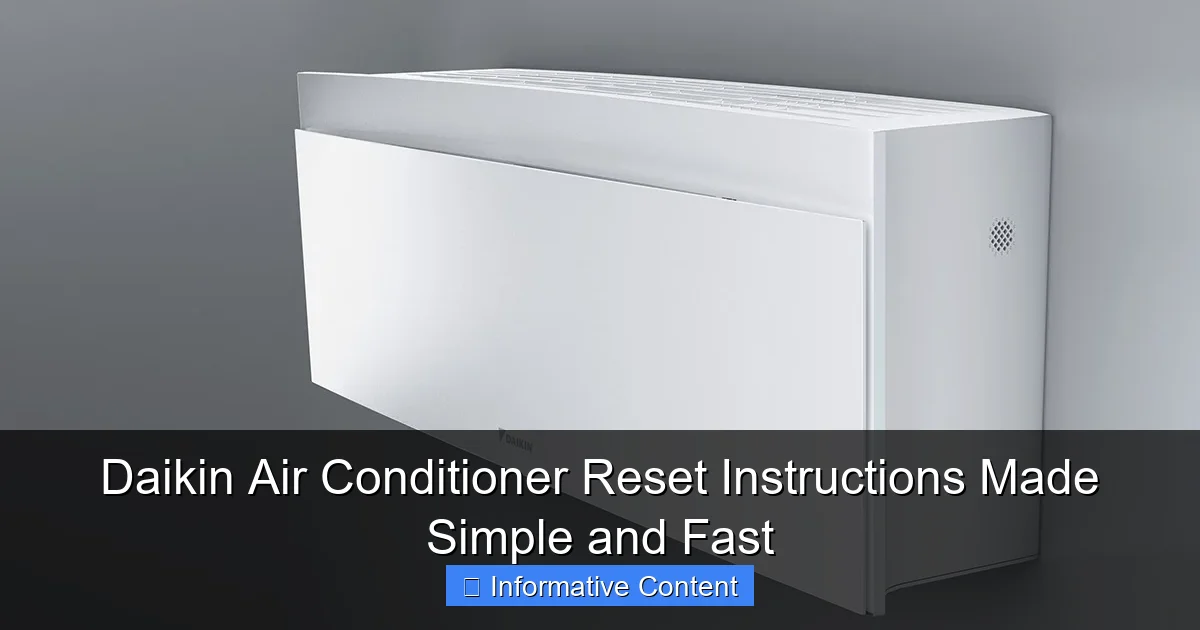
Visual guide about daikin air conditioner reset instructions
Image source: klimaanlagen-heizungen.de
- Unit won’t turn on: If pressing the power button does nothing, a reset might clear the issue.
- Error codes on display: Codes like “U4,” “F3,” or “P1” often indicate temporary faults that a reset can clear.
- Remote control unresponsive: Sometimes the remote and indoor unit lose sync—resetting can re-establish the connection.
- Fan running but no cooling/heating: A reset can refresh the compressor and restore functionality.
- Unusual noises or short cycling: These can be caused by minor glitches that resetting resolves.
For example, my neighbor had a Daikin unit that kept short-cycling—running for just a few minutes, then shutting off. After a reset, the problem vanished. It turned out a temporary overload had triggered the protection circuit, and the reset cleared it.
When a Reset Won’t Help
Not every issue can be fixed with a reset. If your Daikin AC is showing signs of serious problems, a reset might only delay the inevitable. Watch out for:
- Physical damage: Cracked coils, bent fins, or leaking refrigerant require professional repair.
- Persistent error codes: If the same code returns after a reset, there’s likely an underlying fault.
- Water leaks: This could point to a clogged drain or frozen evaporator coil.
- No power at all: If the unit doesn’t respond even after resetting, check the circuit breaker or power supply.
Think of a reset as a “soft reboot” for your AC—like restarting your phone when an app crashes. It’s not a cure-all, but it’s often the fastest way to rule out minor issues.
Step-by-Step Daikin Air Conditioner Reset Methods
Method 1: Remote Control Reset (For Minor Glitches)
This is the easiest and most common reset method. It’s perfect for when the remote isn’t responding or the unit is stuck in a mode. Here’s how:
- Turn off the AC: Press the power button on the remote to shut it down.
- Remove the remote batteries: Take out the AAA or AA batteries. This cuts off power to the remote’s memory.
- Wait 30 seconds: Let the remote discharge completely. This clears any stored commands.
- Reinsert batteries: Put the batteries back in, ensuring they’re properly aligned.
- Press and hold the “Reset” button: Some Daikin remotes have a small reset button (often recessed). Use a paperclip to press it for 5 seconds. If your remote lacks this button, skip to the next step.
- Turn the AC back on: Press the power button. The unit should now respond normally.
Pro Tip: After resetting, wait 2–3 minutes before using the remote again. This gives the indoor unit time to sync.
Method 2: Power Cycle Reset (For System-Wide Issues)
If the remote reset doesn’t work, it’s time for a full power cycle. This method resets the indoor and outdoor units, clearing temporary faults. Follow these steps:
- Turn off the AC: Use the remote or indoor unit’s power button.
- Locate the circuit breaker: Find the breaker labeled “AC” or “Air Conditioner” in your electrical panel.
- Flip the breaker off: Cut power to the entire unit. This is crucial—don’t skip this step!
- Wait 5–10 minutes: This allows capacitors to discharge and clears residual voltage. The longer, the better.
- Turn the breaker back on: Restore power to the AC.
- Wait 3–5 minutes: The outdoor unit needs time to initialize before the indoor unit can start.
- Turn on the AC: Use the remote. The unit should now function normally.
Example: My friend had a Daikin that kept showing a “F3” error (indicating a fan motor issue). A power cycle reset fixed it—the motor had just temporarily stalled.
Method 3: Hard Reset via Indoor Unit (For Advanced Users)
Some Daikin models (like the FTXM and FVXM series) have a reset button directly on the indoor unit. Use this method if the remote and power cycle resets fail:
- Turn off the AC: Use the remote or indoor unit’s power button.
- Remove the front panel: Gently lift the panel to expose the control board. (Refer to your model’s manual for specifics.)
- Locate the reset button: It’s usually a small, red or black button near the control board.
- Press and hold the button: Use a pen or paperclip to hold it for 10–15 seconds.
- Replace the front panel: Secure it properly.
- Turn the AC back on: The unit should reset and start normally.
Caution: Only attempt this if you’re comfortable working near electrical components. If unsure, call a technician.
Model-Specific Reset Tips for Popular Daikin Units
Daikin Split System (FTXM, FVXM, FTXS Series)
These models often have a “Test Run” mode that can act as a reset. Here’s how to use it:
- Press and hold the “Timer” and “Mode” buttons on the remote for 5 seconds.
- The display will show “Test.” This forces the unit into a diagnostic mode.
- Let the unit run for 10 minutes. This clears minor faults and resets the system.
- Press the power button to exit Test mode.
Tip: If your remote lacks these buttons, use the power cycle method instead.
Daikin Ducted Systems (FDYQ, FDYM Series)
Ducted units often have a control panel on the indoor unit. To reset:
- Turn off the AC via the remote or wall controller.
- Press and hold the “Reset” button on the indoor unit’s control panel for 10 seconds.
- Wait for the panel’s LED to blink—this indicates a reset.
- Turn the AC back on.
Daikin VRV/VRF Systems (For Commercial Use)
VRV systems require a more technical reset. Always consult the manual, but here’s a general approach:
- Use the remote to set the system to “Off.”
- Power cycle the outdoor unit via its disconnect switch.
- Wait 10 minutes, then restore power.
- Use the remote to enter “Service Mode” (usually by holding “Mode” + “Fan” for 5 seconds).
- Select “Reset” from the menu (if available).
Note: For complex VRV systems, a technician’s help is often necessary.
Troubleshooting After the Reset
What If the Reset Doesn’t Work?
Don’t panic—sometimes resets need a little help. Try these steps:
- Check the air filter: A clogged filter can cause overheating. Clean or replace it if dirty.
- Inspect the outdoor unit: Clear debris from the condenser coils. A pressure washer (on low) works well.
- Verify the thermostat settings: Ensure the mode (cool/heat) and temperature are set correctly.
- Test the remote batteries: Weak batteries can mimic unresponsiveness. Replace them with fresh ones.
Example: A client of mine had a Daikin that wouldn’t cool after a reset. Turns out, the air filter was clogged with dust. Once we cleaned it, the AC worked perfectly.
When to Call a Professional
Resets are great, but they’re not magic. If you see these signs, call a technician:
- Error codes persist: If the same code returns after multiple resets, there’s likely a hardware fault.
- Unusual noises: Grinding, banging, or hissing sounds often indicate mechanical issues.
- Leaking refrigerant: This requires a licensed pro to fix.
- No improvement after 2–3 resets: Don’t keep resetting endlessly—it could damage the unit.
Preventative Maintenance to Avoid Future Resets
Regular Cleaning and Care
Prevention is better than cure! Here’s how to keep your Daikin AC running smoothly:
- Clean the air filter monthly: A clean filter improves airflow and reduces strain on the system.
- Wash the outdoor unit yearly: Use a garden hose to remove dirt and debris from the condenser coils.
- Inspect the drain line: Ensure it’s not clogged. Pour a cup of vinegar down it to prevent mold.
- Keep the area around the unit clear: Trim bushes and remove clutter to ensure proper airflow.
Seasonal Checks
Before summer and winter, do a quick check:
- Test the thermostat: Make sure it’s accurately reading room temperature.
- Check for leaks: Inspect the indoor and outdoor units for water or refrigerant leaks.
- Listen for odd sounds: A well-maintained AC should run quietly.
| Maintenance Task | Frequency | Tools Needed |
|---|---|---|
| Clean air filter | Monthly | Vacuum, water |
| Wash outdoor unit | Yearly | Garden hose, soft brush |
| Inspect drain line | Bi-annually | Vinegar, funnel |
| Check refrigerant levels | Every 2 years | Professional technician |
Smart Habits for Longevity
Small habits make a big difference:
- Use the “Auto” mode: This prevents short cycling and reduces wear.
- Set a programmable thermostat: Avoid extreme temperature changes.
- Schedule annual servicing: A pro can spot issues before they become major.
Conclusion: Reset with Confidence
Resetting your Daikin air conditioner doesn’t have to be intimidating. Whether you’re dealing with a stubborn remote or a mysterious error code, the steps I’ve shared—from simple remote resets to full power cycles—can get your AC back on track. Remember, a reset is like a breath of fresh air for your system. It clears the clutter, refreshes the connection, and often solves the problem in minutes.
But here’s the real takeaway: don’t rely on resets alone. Pair them with regular maintenance to keep your Daikin AC running smoothly for years. Clean the filters, check the coils, and listen for odd sounds. And if a reset doesn’t work? That’s okay—sometimes you need a pro’s touch. The key is knowing when to reset and when to call for help.
Next time your Daikin acts up, take a deep breath. Grab your remote, flip the breaker, and try these Daikin air conditioner reset steps. More often than not, you’ll be back to cool, comfortable air before you know it. And if you’re ever in doubt, your Daikin manual is your best friend—it’s packed with model-specific tips just like these. Stay cool, stay calm, and reset with confidence!
Frequently Asked Questions
How do I reset my Daikin air conditioner?
To reset your Daikin air conditioner, turn off the unit, unplug it for 5–10 minutes, then plug it back in and power it on. This soft reset can resolve minor glitches and restore normal operation.
Where is the reset button on a Daikin air conditioner?
Most Daikin models don’t have a physical reset button. Instead, perform a power cycle by unplugging the unit or turning off its circuit breaker for 10 minutes to trigger a reset.
Why won’t my Daikin AC reset after following the instructions?
If the Daikin air conditioner reset doesn’t work, check for error codes on the display or remote, as underlying issues (like refrigerant leaks or sensor faults) may need professional repair.
How often should I reset my Daikin air conditioner?
Reset your Daikin AC only when facing issues like unresponsiveness or error codes. Frequent resets aren’t necessary and may indicate a deeper problem requiring technician attention.
Can I reset my Daikin AC using the remote control?
Some Daikin remotes have a “Reset” or “Filter” button—press and hold it for 3–5 seconds to reset the filter indicator. For a full system reset, a power cycle is still required.
What does a Daikin air conditioner reset do?
A reset clears temporary errors, reboots the system’s software, and recalibrates sensors. It’s a quick fix for minor malfunctions but won’t resolve hardware or mechanical failures.