
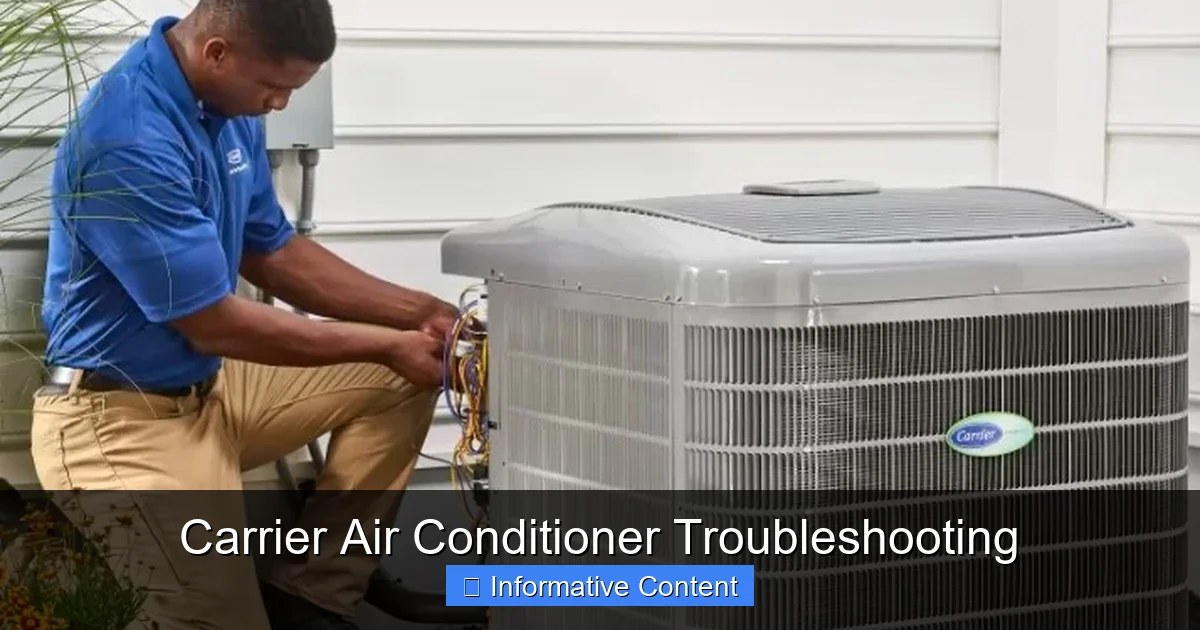
Is your Carrier air conditioner acting up? From poor cooling to strange noises, this guide walks you through the most common issues and how to fix them. Save time and money with practical troubleshooting steps you can try at home—before calling a technician.
Key Takeaways
- Check the thermostat first: Many cooling issues start with incorrect settings or a faulty thermostat. Always verify it’s set to “cool” and the temperature is lower than the room.
- Clean or replace air filters regularly: Clogged filters restrict airflow, reduce efficiency, and can cause the system to freeze up. Replace every 1–3 months.
- Inspect the outdoor unit for blockages: Debris, dirt, or overgrown plants around the condenser can hinder performance. Keep a 2-foot clearance on all sides.
- Listen for unusual sounds: Rattling, buzzing, or grinding noises often signal loose parts, electrical issues, or motor problems that need prompt attention.
- Monitor refrigerant levels: Low refrigerant usually means a leak. Only certified technicians should handle refrigerant due to safety and environmental regulations.
- Reset the system when needed: A simple power cycle can resolve temporary glitches. Turn off the breaker, wait 5 minutes, then turn it back on.
- Schedule annual maintenance: Professional tune-ups prevent 90% of common AC problems and extend your unit’s lifespan.
Introduction: Why Your Carrier AC Might Be Acting Up
There’s nothing worse than coming home on a sweltering summer day only to find your Carrier air conditioner blowing warm air—or worse, not turning on at all. You’ve trusted Carrier for reliable cooling for years, so when something goes wrong, it can feel like a betrayal. But before you panic or call a repair service, know this: many common Carrier air conditioner problems can be diagnosed and even fixed with a little know-how and some basic tools.
Carrier has been a leader in HVAC technology for over a century, known for durable, energy-efficient systems. But like any mechanical device, even the best units can develop issues over time. Whether it’s a simple clogged filter or a more complex electrical fault, understanding how to troubleshoot your Carrier AC empowers you to act quickly, save money, and avoid unnecessary service calls. This guide will walk you through the most frequent problems, step-by-step solutions, and preventive tips to keep your home cool and comfortable all season long.
Common Signs Your Carrier AC Needs Attention
Before diving into specific fixes, it’s important to recognize the warning signs that your Carrier air conditioner isn’t performing as it should. Early detection can prevent minor issues from turning into costly repairs or complete system failures. Pay attention to changes in performance, sounds, or energy usage—these are often the first clues.
Weak or No Cooling
If your AC is running but not cooling your home effectively, it’s one of the most common complaints. You might notice that rooms feel stuffy, humidity levels rise, or the air coming from vents is only slightly cooler than room temperature. This could be due to a dirty air filter, low refrigerant, or a malfunctioning compressor. In some cases, the evaporator coil may be frozen, blocking airflow entirely.
Unusual Noises
Carrier units are designed to operate quietly, so any new or loud sounds should raise a red flag. A rattling noise might indicate loose panels or debris in the outdoor unit. A buzzing sound could point to an electrical issue, such as a failing capacitor or loose wiring. Grinding or screeching often suggests a problem with the fan motor or bearings. Ignoring these sounds can lead to more serious damage.
Frequent Cycling or Short Cycling
Your AC should run in consistent cooling cycles—typically 10 to 15 minutes—before shutting off. If it turns on and off rapidly (short cycling), it may be overheating, have a faulty thermostat, or be oversized for your home. Short cycling increases wear and tear, reduces efficiency, and drives up energy bills.
Water Leaks or Ice Buildup
Finding water around your indoor unit or seeing ice on the refrigerant lines is a clear sign something’s wrong. This usually happens when airflow is restricted (often due to dirty filters) or the refrigerant level is low. Ice can block airflow and damage internal components if not addressed quickly.
High Energy Bills
If your electricity usage spikes without a change in usage habits, your AC may be working harder than it should. This inefficiency can stem from dirty coils, clogged filters, or duct leaks. A well-maintained Carrier unit should operate efficiently, so unexpected cost increases warrant investigation.
Step-by-Step Carrier Air Conditioner Troubleshooting
Now that you know what to look for, let’s get into the practical steps you can take to troubleshoot your Carrier AC. Always start with the simplest fixes before moving to more complex diagnostics. Remember: safety first. Turn off power at the breaker before inspecting or handling any components.
1. Check the Thermostat Settings
It sounds obvious, but many cooling issues start right at the thermostat. Make sure it’s set to “Cool” mode and the temperature is set lower than the current room temperature. If it’s a programmable or smart thermostat, verify the schedule hasn’t been accidentally changed. For older mechanical thermostats, use a separate thermometer to check accuracy—if it’s off by more than 2–3 degrees, it may need recalibration or replacement.
Pro Tip: If your thermostat uses batteries, replace them even if it seems to be working. Weak batteries can cause erratic behavior or prevent the system from turning on.
2. Inspect and Replace the Air Filter
The air filter is the first line of defense against dust, pollen, and debris entering your system. A clogged filter restricts airflow, forcing the AC to work harder and potentially causing the evaporator coil to freeze. Check your filter every month during peak usage and replace it every 1–3 months, depending on usage and filter type.
To check: Locate the return air grille (usually near the furnace or air handler), remove the cover, and pull out the filter. Hold it up to the light—if you can’t see through it, it’s time for a new one. Use the same size and MERV rating as recommended by Carrier for your model.
3. Examine the Outdoor Unit (Condenser)
The outdoor unit houses the compressor, condenser coils, and fan. It needs proper airflow to release heat efficiently. Over time, leaves, grass clippings, dirt, and spider webs can accumulate around the unit, blocking airflow and reducing performance.
Turn off the power, then carefully remove any visible debris from the top and sides. Use a garden hose to gently spray the fins from the inside out to remove dirt buildup. Never use a pressure washer—it can bend the delicate fins. Also, ensure there’s at least 2 feet of clearance around the unit. Trim back shrubs or vines that may be encroaching.
4. Check for Ice or Frost Buildup
If you see ice on the refrigerant lines or the indoor coil, turn off the AC immediately. Running the system while frozen can damage the compressor. Ice usually forms due to restricted airflow (dirty filter or blocked vents) or low refrigerant.
Let the ice melt completely—this may take several hours. Once thawed, check the air filter and replace if dirty. Ensure all supply and return vents are open and unobstructed. If ice returns after a few days, it’s likely a refrigerant issue and requires professional service.
5. Listen for Electrical or Mechanical Noises
After turning the system back on, listen carefully. A healthy Carrier AC should run with a low hum. If you hear:
- Buzzing: Could indicate a failing capacitor or loose wiring. Capacitors store energy to start the compressor and fan motors. A bad one may cause the unit to struggle to start or not start at all.
- Clicking: Normal during startup, but continuous clicking may signal a relay problem.
- Grinding or Screeching: Often points to a failing fan motor or worn bearings. This requires immediate attention to prevent motor burnout.
If you suspect an electrical issue, especially involving capacitors or wiring, it’s best to call a licensed technician. Capacitors can hold a dangerous charge even when power is off.
6. Test the Circuit Breaker and Disconnect Switch
If your AC won’t turn on at all, check the electrical supply. Start at the main breaker panel—look for a tripped 240-volt breaker labeled “AC” or “Air Conditioner.” Reset it by flipping it fully off, then back on. If it trips again immediately, there’s likely a short circuit or overload—do not keep resetting it.
Next, check the disconnect switch near the outdoor unit. It’s usually a metal box on the wall with a pull-out fuse or breaker. Make sure it’s in the “On” position. If it’s off, turn it on and wait a few minutes to see if the unit starts.
7. Perform a System Reset
Sometimes, the AC’s control board gets stuck in a fault mode. A simple reset can clear temporary glitches. Turn off the thermostat, then shut off the breaker for the AC unit. Wait at least 5 minutes—this allows capacitors to discharge and the system to reset. Turn the breaker back on, then the thermostat. Wait 10–15 minutes to see if normal operation resumes.
When to Call a Professional Technician
While many Carrier air conditioner issues can be resolved with basic troubleshooting, some problems require expert attention. Attempting DIY repairs on complex components can void your warranty or cause further damage. Here’s when it’s time to call in the pros.
Refrigerant Leaks or Low Charge
Refrigerant is essential for cooling, and levels should never drop under normal operation. If your AC is low, it almost always means there’s a leak. Only EPA-certified technicians can safely detect and repair leaks, and recharge the system with the correct type and amount of refrigerant. Handling refrigerant without certification is illegal and dangerous.
Compressor or Motor Failures
The compressor is the heart of your AC system. If it fails, the unit won’t cool at all. Signs include the outdoor unit not turning on, humming without starting, or tripping the breaker repeatedly. Compressor repairs are complex and often costly—sometimes it’s more economical to replace the entire outdoor unit.
Electrical Issues Beyond Basic Checks
If you’ve checked the breaker and disconnect switch but the unit still won’t power on, there may be a problem with the contactor, control board, or wiring. These components require specialized tools and knowledge to diagnose and replace safely.
Persistent Ice Formation
If your system keeps freezing up even after replacing the filter and ensuring proper airflow, it’s likely a refrigerant or airflow issue that needs professional diagnosis. Continuing to run a frozen system can cause irreversible damage.
Warranty Repairs
If your Carrier unit is still under warranty, always contact an authorized dealer or technician for service. DIY repairs or using non-certified parts can void the warranty. Carrier offers comprehensive warranties on compressors and parts, so take advantage of professional support when eligible.
Preventive Maintenance to Avoid Future Problems
The best way to troubleshoot your Carrier air conditioner is to prevent issues from happening in the first place. Regular maintenance keeps your system running efficiently, extends its lifespan, and reduces the risk of breakdowns during peak summer heat.
Create a Maintenance Schedule
Set reminders for monthly, seasonal, and annual tasks:
- Monthly: Check and replace air filters.
- Spring (before cooling season): Inspect outdoor unit, clean coils, check refrigerant lines, and test system operation.
- Fall: Cover the outdoor unit (if recommended) and prepare for winter.
- Annually: Schedule a professional tune-up.
Professional Tune-Up Checklist
A qualified technician should perform the following during a maintenance visit:
- Clean condenser and evaporator coils
- Check refrigerant levels and inspect for leaks
- Lubricate moving parts (if applicable)
- Inspect electrical connections and tighten if needed
- Test thermostat accuracy and calibration
- Measure airflow and check ductwork for leaks
- Inspect drain line and clean if clogged
Many HVAC companies offer maintenance plans that include two visits per year (spring and fall) at a discounted rate. These plans often come with priority service and discounts on repairs.
Upgrade to a Smart Thermostat
Modern smart thermostats, like the Carrier Infinity Touch Control, offer advanced features like remote monitoring, energy usage reports, and automatic scheduling. They can alert you to filter changes, system errors, or unusual energy consumption—helping you catch problems early.
Conclusion: Stay Cool with Confidence
Your Carrier air conditioner is built to deliver reliable, efficient cooling year after year. But like any complex system, it needs attention and care to perform at its best. By learning how to troubleshoot common issues—from checking the thermostat to cleaning the outdoor unit—you can resolve many problems quickly and avoid unnecessary service calls.
Remember, not every issue requires a technician. Simple fixes like replacing a filter or resetting the system can make a big difference. But when problems persist or involve electrical components, refrigerant, or major parts, it’s always wise to call a professional. Combine DIY vigilance with annual professional maintenance, and your Carrier AC will keep you cool, comfortable, and confident all summer long.
FAQs
Why is my Carrier AC not cooling even though it’s running?
This is often due to a dirty air filter, low refrigerant, or a frozen evaporator coil. Start by replacing the filter and checking for ice buildup. If the problem continues, it may require professional diagnosis.
How often should I replace the air filter in my Carrier AC?
Replace the filter every 1–3 months, depending on usage, pets, and indoor air quality. Check it monthly during peak cooling season.
Can I clean the outdoor unit myself?
Yes, you can safely remove debris and gently hose down the condenser fins. Avoid pressure washers and never touch internal components without turning off power.
What does it mean if my AC is making a buzzing sound?
A buzzing noise may indicate an electrical issue, such as a failing capacitor or loose wiring. Turn off the power and contact a technician for inspection.
Is it normal for ice to form on the refrigerant lines?
No, ice buildup is a sign of restricted airflow or low refrigerant. Turn off the AC, let it thaw, and check the filter. If ice returns, call a professional.
How can I prevent my Carrier AC from breaking down?
Regular maintenance is key. Replace filters, keep the outdoor unit clean, ensure proper airflow, and schedule annual professional tune-ups to catch issues early.
This is a comprehensive guide about carrier air conditioner troubleshooting.
Key Takeaways
- Understanding carrier air conditioner troubleshooting: Provides essential knowledge
Frequently Asked Questions
What is carrier air conditioner troubleshooting?
carrier air conditioner troubleshooting is an important topic with many practical applications.