
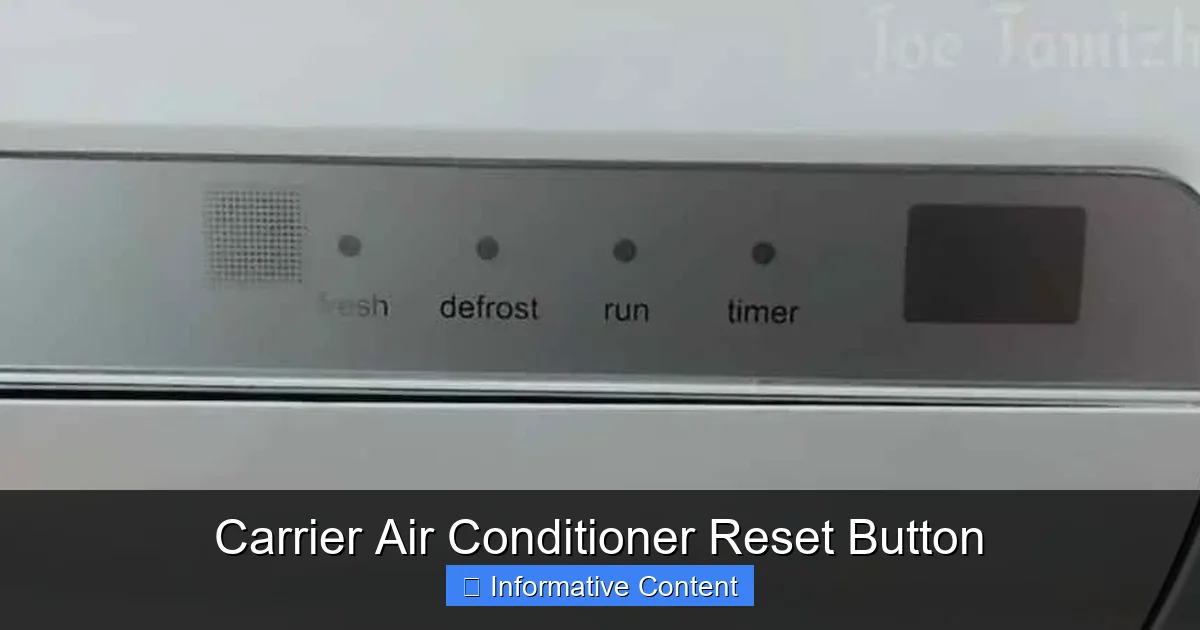
The Carrier air conditioner reset button is a simple yet powerful tool for troubleshooting common cooling problems. It helps restore normal operation after power surges, tripped breakers, or system lockouts—without calling a technician.
If your Carrier air conditioner suddenly stops cooling, makes odd noises, or won’t turn on at all, don’t panic—there’s a good chance the solution is simpler than you think. One of the first and most effective troubleshooting steps is using the Carrier air conditioner reset button. This small but mighty feature acts like a “restart” for your AC system, clearing temporary errors and restoring normal function. Whether you’re dealing with a power surge, a tripped safety switch, or just a hiccup in the system’s electronics, the reset button can often get things back on track without the need for costly service calls.
Understanding how and when to use this reset button can save you time, money, and frustration. Many homeowners aren’t even aware their Carrier unit has one—or where to find it. That’s why we’re breaking down everything you need to know: from locating the button to knowing when a reset is appropriate (and when it’s not). Think of this guide as your go-to resource for handling minor AC issues like a pro. With a little knowledge and the right steps, you can keep your home cool and comfortable all season long.
Key Takeaways
- Location varies by model: The reset button may be on the outdoor unit, indoor air handler, or behind the control panel—check your user manual.
- Not all Carrier units have a physical reset button: Some models use a soft reset method via the thermostat or circuit breaker.
- Resetting can fix minor glitches: It clears error codes, restarts the compressor, and resolves temporary lockouts.
- Always turn off power first: For safety, switch off the unit at the breaker before pressing the reset button.
- Frequent resets signal bigger issues: If you’re resetting often, there may be underlying problems like dirty filters or refrigerant leaks.
- Know when to call a pro: Persistent failures after resetting require professional diagnosis and repair.
- Regular maintenance prevents resets: Clean filters, clear debris, and schedule annual tune-ups to avoid unnecessary resets.
📑 Table of Contents
What Is the Carrier Air Conditioner Reset Button?
The Carrier air conditioner reset button is a built-in safety and diagnostic feature designed to restore your system after a temporary malfunction. It’s essentially a manual override that reboots the unit’s control board, clears error codes, and resets internal safety mechanisms. This button is particularly useful after events like power outages, electrical surges, or when the system has automatically shut down due to overheating or pressure issues.
Unlike simply turning the thermostat off and on, pressing the reset button forces a full system restart. It’s similar to restarting your computer when it freezes—sometimes, all the system needs is a fresh start. The reset button is often part of a larger safety system that includes high-pressure switches, low-pressure switches, and thermal overload protectors. When one of these components detects a problem, it can lock out the compressor to prevent damage. The reset button allows you to manually clear that lockout once the issue has been resolved.
It’s important to note that not every Carrier model includes a physical reset button. Some newer or higher-end units rely on digital controls and may require a soft reset through the thermostat or by cycling the power at the breaker. Always refer to your specific model’s user manual to confirm whether a reset button exists and how it functions. When in doubt, a power cycle (turning the breaker off for 30 seconds and back on) often mimics the effect of a reset and is a safe first step.
Where Is the Reset Button Located?
Visual guide about Carrier Air Conditioner Reset Button
Image source: hvacseer.com
Finding the Carrier air conditioner reset button can be tricky because its location varies depending on the model and installation setup. However, there are a few common places to check. The most frequent location is on the outdoor condenser unit—the large box typically sitting beside or behind your house. Look for a small, recessed red or black button, often labeled “Reset” or “Test/Reset.” It may be protected by a rubber cover or located near the compressor compartment.
In some models, especially split systems with an indoor air handler, the reset button might be inside the indoor unit. This usually requires removing a front panel or access door. You’ll often find it near the control board or blower motor. If your system includes a furnace or air handler in the attic or basement, check there as well. Some Carrier Infinity or Performance series units have the reset function integrated into the thermostat or control interface, meaning no physical button is needed.
If you can’t locate a reset button, don’t assume your unit doesn’t have one. Consult your owner’s manual or search online using your model number (usually found on a label inside the access panel). Carrier’s official website also offers downloadable manuals and support documents. As a general rule, if your system has a hardwired control board and safety switches, it likely includes some form of reset capability—even if it’s not a standalone button.
Common Locations by Unit Type
- Outdoor Condenser Units: Most common location; look near the compressor or control panel.
- Indoor Air Handlers: Check behind the front panel, near the blower or control board.
- Thermostat or Control Interface: Some smart thermostats allow a soft reset via menu options.
- Electrical Disconnect Box: Rarely, the reset may be tied to the disconnect switch near the outdoor unit.
Tips for Safe Access
Always turn off the power at the main breaker before attempting to access any internal components. Use a flashlight to help locate the button in dimly lit areas. If the button is recessed, use a small tool like a paperclip or pen to press it gently—don’t force it. And remember: if you’re uncomfortable working near electrical components, it’s always best to call a licensed HVAC technician.
When Should You Use the Reset Button?
Knowing when to press the Carrier air conditioner reset button is just as important as knowing where it is. This button is intended for specific situations—mainly temporary system lockouts or electronic glitches—not as a fix for ongoing mechanical problems. Here are the most common scenarios where a reset is appropriate:
First, if your AC suddenly stops working after a power outage or storm, a reset can restore function. Power surges can trip internal safety switches, and the system may not automatically restart once power returns. Pressing the reset button tells the unit it’s safe to resume operation.
Second, if your thermostat shows an error code—like “LC” for low pressure or “HC” for high pressure—a reset may clear the code and allow the system to restart. These codes often appear when the system detects abnormal refrigerant pressure or temperature. Resetting gives the system a chance to recalibrate.
Third, if the outdoor fan or compressor won’t turn on, but the indoor blower is running, a reset might resolve a locked-out compressor. This can happen if the motor overheats or if there’s a temporary electrical fault.
However, there are times when a reset won’t help—and could even be dangerous. For example, if your AC is making loud grinding or banging noises, leaking refrigerant, or emitting a burning smell, do not attempt a reset. These are signs of serious mechanical or electrical issues that require professional attention. Similarly, if the unit trips the breaker immediately after resetting, there’s likely a short circuit or grounding issue that needs repair.
Signs a Reset Might Help
- AC won’t turn on after a power outage
- Thermostat displays an error code
- Outdoor unit is silent but indoor fan runs
- System shut off unexpectedly with no obvious cause
- You recently cleaned filters or cleared debris and the unit still won’t start
When to Skip the Reset
- Strange noises (grinding, screeching, banging)
- Burning smell or smoke
- Visible refrigerant leaks or ice buildup
- Breaker trips immediately after reset
- Unit has been reset multiple times in a short period
Using the reset button wisely can save you from unnecessary service calls. But if problems persist after a reset, it’s time to dig deeper—or call in an expert.
Step-by-Step Guide to Resetting Your Carrier AC
Resetting your Carrier air conditioner is a straightforward process, but it’s important to follow the steps carefully to ensure safety and effectiveness. Here’s a simple, step-by-step guide you can follow:
Step 1: Turn Off the Power
Before doing anything, locate your home’s electrical panel and turn off the breaker that controls your air conditioner. This is usually labeled “AC,” “Air Conditioner,” or “HVAC.” For extra safety, also turn off the disconnect switch near the outdoor unit—this is a small metal box with a lever or pull-out fuse, often mounted on the wall next to the condenser.
Step 2: Wait 30–60 Seconds
This brief pause allows any residual electricity in the system to dissipate and gives the control board time to fully shut down. It’s a crucial step that many people skip—but it ensures a clean reset.
Step 3: Locate the Reset Button
Refer to your user manual or the sections above to find where the reset button is on your specific model. Once located, make sure the area is dry and free of debris.
Step 4: Press the Reset Button
Use a small, non-conductive tool like a paperclip or pen to gently press and release the button. You should feel a slight click. Do not hold it down—just a quick press is enough.
Step 5: Restore Power
Turn the breaker back on, followed by the disconnect switch. Wait a few minutes for the system to power up.
Step 6: Test the System
Set your thermostat to “Cool” and lower the temperature below the current room temperature. Listen for the outdoor unit to start and check if cool air is flowing from the vents.
If the system starts and runs normally, you’re all set! If it doesn’t, or if it shuts off again quickly, there may be a deeper issue.
Soft Reset Alternative
If your model doesn’t have a physical reset button, you can perform a soft reset by turning the thermostat to “Off,” waiting 30 seconds, and turning it back to “Cool.” Alternatively, cycle the power at the breaker as described above. This method works for many modern Carrier units with digital controls.
Pro Tip: Keep a Log
If you find yourself resetting the unit frequently, keep a simple log noting the date, time, and any symptoms. This can help you or a technician identify patterns and underlying causes.
Why Does My Carrier AC Keep Needing Resets?
If you’re pressing the Carrier air conditioner reset button more than once a season, it’s a red flag. Frequent resets usually indicate an underlying problem that a simple reboot can’t fix. Here are the most common reasons your AC might be locking out repeatedly:
Dirty or Clogged Air Filters
When filters are clogged, airflow is restricted. This causes the evaporator coil to freeze, leading to low pressure and system lockout. Check and replace your filters every 1–3 months, especially during peak cooling season.
Refrigerant Leaks
Low refrigerant levels can trigger low-pressure switches, causing the system to shut down. If your AC runs but doesn’t cool well, or if you see ice on the refrigerant lines, a leak is likely. This requires professional repair and recharging.
Faulty Capacitors or Contactors
The capacitor helps start the compressor and fan motors. If it’s weak or failing, the motor may overheat and trip the thermal protector. Similarly, a worn contactor can cause intermittent power issues. These parts are inexpensive but should be replaced by a technician.
Dirty Condenser Coils
The outdoor unit’s coils can get clogged with dirt, leaves, and grass clippings. This reduces heat transfer, causing high pressure and system shutdown. Clean the coils annually with a garden hose (with power off) or hire a pro for a deep clean.
Electrical Issues
Loose wiring, corroded connections, or a failing control board can cause erratic behavior. If the breaker trips often or the reset button doesn’t work, have an electrician or HVAC technician inspect the system.
Thermostat Problems
A malfunctioning thermostat may send incorrect signals, causing the system to cycle improperly or not start at all. Try replacing the batteries or testing with a different thermostat.
Preventive Maintenance Tips
- Replace air filters every 1–3 months
- Keep the area around the outdoor unit clear of debris
- Schedule annual professional maintenance
- Clean condenser coils and check refrigerant levels
- Inspect electrical connections and capacitors
Addressing these issues early can prevent repeated resets and extend the life of your AC system.
When to Call a Professional
While the Carrier air conditioner reset button is a handy tool, it’s not a cure-all. There are times when DIY troubleshooting just won’t cut it—and that’s okay. Knowing when to call a licensed HVAC technician can save you from further damage and ensure your system runs safely and efficiently.
If your AC fails to start after multiple resets, or if it starts but shuts off within minutes, it’s time to call a pro. This could indicate a failing compressor, refrigerant leak, or electrical fault that requires specialized tools and expertise to diagnose.
Similarly, if you notice unusual sounds—like grinding, screeching, or banging—don’t ignore them. These noises often point to mechanical wear or loose components that could lead to costly breakdowns if left unchecked.
Other signs that warrant professional help include:
- Ice buildup on refrigerant lines or indoor coils
- Water leaking inside your home
- Burning smells or smoke
- Frequent breaker trips
- Inconsistent cooling or hot spots in your home
A qualified technician can perform a thorough inspection, run diagnostic tests, and recommend repairs or replacements. They’ll also check for code compliance and ensure your system is operating at peak efficiency.
Choosing the Right Technician
When hiring an HVAC professional, look for NATE certification, good reviews, and experience with Carrier systems. Ask for a detailed estimate before any work begins, and make sure they offer a warranty on parts and labor.
Conclusion
The Carrier air conditioner reset button is a valuable feature that can quickly resolve many common cooling issues. Whether your system has locked out after a power surge or is displaying an error code, a simple reset might be all it takes to get things running again. Knowing where to find the button, when to use it, and how to perform the reset safely puts you in control of your home’s comfort.
However, it’s important to remember that the reset button is not a permanent fix for deeper problems. If your AC requires frequent resets, it’s a sign that something else is going on—whether it’s a dirty filter, low refrigerant, or electrical issue. In those cases, professional diagnosis and repair are essential.
By combining smart troubleshooting with regular maintenance, you can keep your Carrier air conditioner running smoothly for years to come. So the next time your AC acts up, don’t panic—check the reset button first. And when in doubt, don’t hesitate to call a trusted HVAC technician. Your comfort—and your peace of mind—are worth it.
Frequently Asked Questions
Where is the reset button on a Carrier air conditioner?
The reset button is usually located on the outdoor condenser unit, near the compressor or control panel. Some models have it inside the indoor air handler or use a soft reset via the thermostat. Check your user manual for the exact location.
Can I reset my Carrier AC without a physical button?
Yes. If your model doesn’t have a physical reset button, you can perform a soft reset by turning the thermostat off, waiting 30 seconds, and turning it back on. Alternatively, cycle the power at the breaker.
How often should I reset my Carrier air conditioner?
You should only reset your AC when necessary—such as after a power outage or error code. Frequent resets may indicate an underlying problem that needs professional attention.
Why won’t my Carrier AC start after a reset?
If the unit still won’t start after a reset, possible causes include a tripped breaker, faulty capacitor, low refrigerant, or a failed compressor. A technician should inspect the system.
Is it safe to press the reset button myself?
Yes, as long as you turn off the power at the breaker first. Always follow safety precautions and avoid touching electrical components with wet hands or in damp conditions.
What does it mean if my AC keeps locking out?
Repeated lockouts often signal issues like dirty filters, refrigerant leaks, or electrical faults. These require diagnosis and repair by a qualified HVAC technician.