
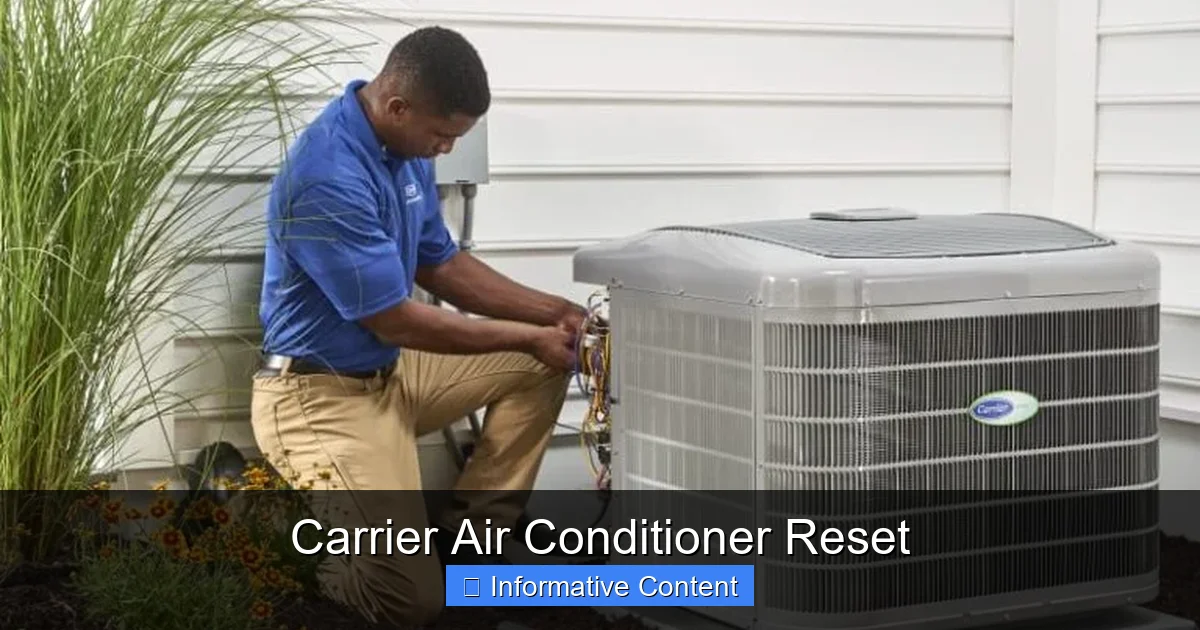
Resetting your Carrier air conditioner can resolve common cooling issues like unresponsiveness, error codes, or system malfunctions. This guide walks you through simple, safe methods to restore normal operation—no technician needed.
Key Takeaways
- Resetting fixes minor glitches: Power cycling or using the reset button can clear temporary errors and restore function.
- Locate the reset button first: Found on the outdoor unit or indoor air handler, it’s often red or yellow and labeled “Reset.”
- Turn off power before resetting: Always shut off the unit at the thermostat and circuit breaker for safety.
- Wait 5–10 minutes after power-off: This allows capacitors to discharge and the system to fully reset.
- Check air filters and vents: Dirty filters or blocked airflow can mimic system failure and prevent proper restart.
- Use the thermostat to restart: After resetting, turn the system back on via the thermostat, not the breaker.
- Call a pro if problems persist: Repeated resets or error codes may signal deeper electrical or refrigerant issues.
📑 Table of Contents
- Why Resetting Your Carrier Air Conditioner Matters
- When Should You Reset Your Carrier Air Conditioner?
- How to Reset Your Carrier Air Conditioner: Step-by-Step Guide
- Alternative Reset Methods for Carrier AC Units
- Troubleshooting After a Reset: What If It Still Doesn’t Work?
- Preventing the Need for Frequent Resets
- When to Call a Professional
- Conclusion
Why Resetting Your Carrier Air Conditioner Matters
Imagine it’s the middle of summer, the sun is blazing, and your home feels more like an oven than a sanctuary. You reach for the thermostat, crank up the cool, and… nothing. The fan might spin, but cold air? Nowhere to be found. Or worse—your Carrier air conditioner starts beeping, flashing lights, or shuts down completely. Frustrating, right?
Before you panic or call a technician (and pay a hefty service fee), there’s a simple fix that often works: resetting your Carrier air conditioner. Just like your phone or laptop, your AC unit runs on complex electronics that can get “confused” after a power surge, software hiccup, or prolonged use. A reset clears these temporary glitches, restores communication between components, and gets your cooling system back on track—often in under 10 minutes.
And the best part? You don’t need to be a HVAC expert to do it. With a few basic steps and a little patience, most homeowners can safely reset their Carrier AC unit and enjoy cool, comfortable air again. This guide will walk you through everything you need to know—from locating the reset button to understanding when a reset won’t cut it and it’s time to call in the pros.
When Should You Reset Your Carrier Air Conditioner?
Not every cooling issue calls for a reset, but many common problems do. Knowing when to try a reset can save you time, money, and stress. Here are the most frequent signs that your Carrier air conditioner could benefit from a fresh start:
Visual guide about Carrier Air Conditioner Reset
Image source: wikihow.com
The Unit Won’t Turn On
If your thermostat shows power but the outdoor compressor or indoor blower doesn’t respond, a reset might reestablish the connection. This often happens after a power outage or when the system has been overworked.
Error Codes Are Displayed
Modern Carrier units display error codes via flashing lights on the outdoor unit or messages on the thermostat. Codes like “E1,” “E2,” or “H5” often indicate temporary faults that a reset can clear. Check your owner’s manual for code meanings—many are designed to resolve after a power cycle.
The System Shuts Off Unexpectedly
Does your AC run for a few minutes, then shut down without warning? This could be due to a safety lockout triggered by overheating or a sensor error. A reset gives the system a chance to recalibrate.
Weak or No Cooling Output
If airflow is weak or the air isn’t cold, the system may be in a protective mode. Resetting can help it exit this state and resume normal operation—especially if dirty filters or blocked vents were the root cause.
After a Power Surge or Storm
Lightning strikes or grid fluctuations can disrupt your AC’s electronics. Even if the unit appears fine, a reset ensures all components are communicating properly.
Pro Tip: Always try a reset before scheduling service. Many HVAC technicians report that up to 30% of “broken” units they visit simply needed a power cycle.
How to Reset Your Carrier Air Conditioner: Step-by-Step Guide
Resetting your Carrier air conditioner is easier than you think. Follow these steps carefully to ensure a safe and effective reset. Remember: safety first—always turn off power before working on your system.
Step 1: Turn Off the Thermostat
Start by switching your thermostat to the “Off” position. This cuts the signal to the AC unit and prevents it from trying to restart during the reset process. If you have a programmable thermostat, make sure it’s not set to turn the system back on automatically.
Step 2: Shut Off the Circuit Breaker
Locate your home’s electrical panel and find the breaker labeled “AC,” “Air Conditioner,” or “HVAC.” Flip it to the “Off” position. This completely cuts power to both the indoor and outdoor units. Never skip this step—working on a live system can be dangerous.
Step 3: Wait 5–10 Minutes
This is the most important part of the reset. Waiting allows the system’s capacitors to discharge and internal memory to clear. Think of it like a “hard reboot” for your AC. Rushing this step can leave residual power in the system, preventing a full reset.
Step 4: Locate and Press the Reset Button (If Available)
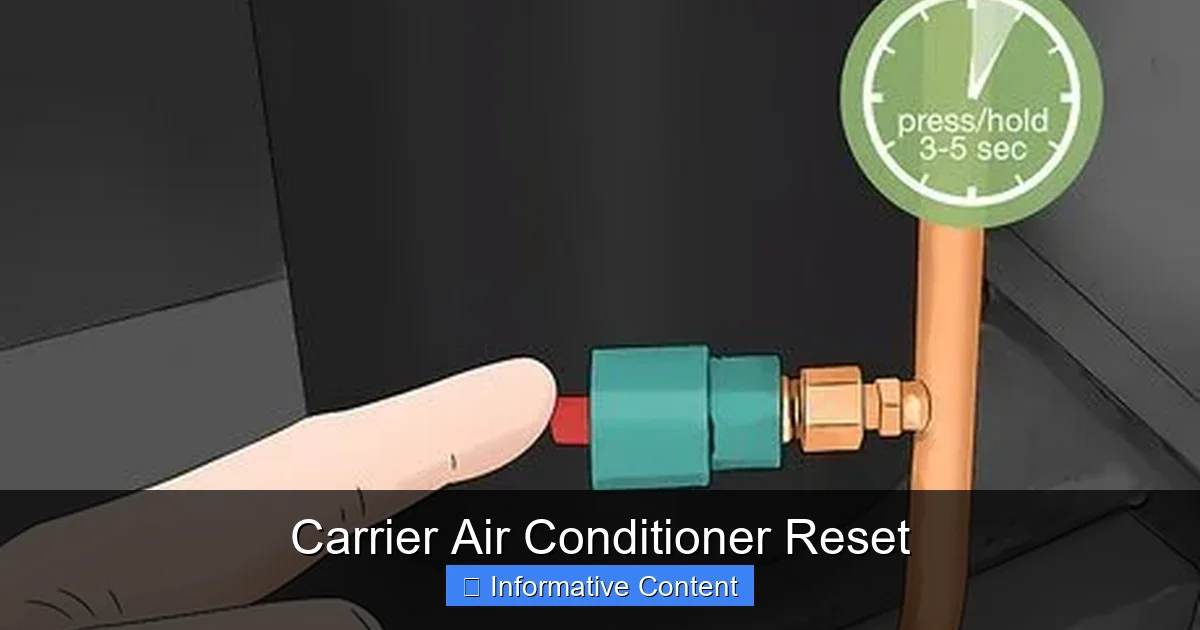
Some Carrier models have a physical reset button, usually found on the outdoor condenser unit or indoor air handler. It’s typically red or yellow and may be labeled “Reset” or “System Reset.” Press and hold it for 3–5 seconds. If your model doesn’t have one, don’t worry—the power cycle alone often does the trick.
Step 5: Restore Power
Flip the circuit breaker back to “On.” Then, return to your thermostat and switch it back to “Cool” or “Auto.” Set your desired temperature and wait a few minutes for the system to restart.
Step 6: Monitor the System
Listen for the outdoor compressor to kick on and feel for cool air from the vents. If everything runs smoothly, you’ve successfully reset your Carrier air conditioner. If not, proceed to troubleshooting steps below.
Example: Sarah from Phoenix reset her Carrier Infinity 20 after a summer storm. She followed these steps, waited 8 minutes, and her unit fired up perfectly—no technician needed.
Alternative Reset Methods for Carrier AC Units
Not all Carrier models have a dedicated reset button, and some issues require different approaches. Here are alternative reset methods based on your system type and symptoms.
Using the Thermostat to Reset
Some Carrier thermostats, like the Côr or Infinity models, have built-in reset functions. To use this method:
- Press and hold the “Menu” or “Settings” button for 5 seconds.
- Navigate to “System Reset” or “Restore Defaults” (varies by model).
- Confirm the reset and wait for the system to reboot.
This method is ideal for software-related glitches but won’t replace a full power cycle for hardware issues.
Resetting via the Indoor Air Handler
If your Carrier system has a furnace or air handler indoors, check for a reset button there. It’s often located behind the access panel near the blower motor. Turn off power, remove the panel, press the button, and reassemble. This is common in split-system setups.
Hard Reset for Persistent Errors
For stubborn error codes or repeated shutdowns, try a “hard reset”:
- Turn off the thermostat and breaker.
- Unplug the outdoor unit’s disconnect switch (a pull-out fuse near the condenser).
- Wait 15 minutes to ensure full discharge.
- Reinsert the disconnect and restore power.
This method is more thorough and often resolves issues that a simple breaker flip can’t.
Resetting After a Filter Change
Sometimes, simply changing a dirty air filter can “reset” system performance. A clogged filter restricts airflow, causing the unit to overheat and shut down. After replacing the filter, turn the system back on and monitor for improvement.
Tip: Keep a log of when you reset your AC and what triggered it. This helps identify patterns and can be useful if you need professional help later.
Troubleshooting After a Reset: What If It Still Doesn’t Work?
So you’ve reset your Carrier air conditioner, but the problem persists. Don’t worry—this doesn’t mean the unit is broken. It just means the issue might be more complex. Here’s how to troubleshoot common post-reset problems.
The Unit Still Won’t Turn On
If the AC remains unresponsive after a reset, check these basics:
- Thermostat batteries: Dead batteries can prevent the thermostat from sending signals. Replace them and try again.
- Tripped breaker: Sometimes breakers trip again immediately after being reset. This could indicate an electrical fault—call an electrician.
- Blown fuse: Check the outdoor disconnect switch for a blown fuse. Replace if necessary.
Error Codes Keep Returning
Recurring error codes suggest an underlying issue. For example:
- E1 or E2: Often related to refrigerant levels or sensor problems.
- H5: Typically indicates a communication error between indoor and outdoor units.
- F1 or F2: May point to a faulty thermostat or wiring issue.
Refer to your owner’s manual or Carrier’s online support for code-specific guidance. If codes persist, professional diagnosis is recommended.
Weak Airflow or Warm Air
If the unit runs but doesn’t cool properly, inspect:
- Air filters: Replace if dirty. A clean filter can restore up to 15% of system efficiency.
- Vents and ducts: Ensure no furniture or curtains are blocking airflow. Check for dust buildup in ducts.
- Outdoor unit: Clear debris, leaves, or grass clippings from the condenser coils. Trim nearby vegetation for proper airflow.
Strange Noises or Odors
After a reset, listen for unusual sounds like grinding, rattling, or hissing. These could indicate mechanical wear, loose parts, or refrigerant leaks. Musty odors may signal mold in the evaporator coil—requires cleaning by a technician.
Remember: A reset is a first-aid solution, not a cure-all. If problems continue, it’s time to call a certified Carrier technician.
Preventing the Need for Frequent Resets
The best way to avoid resetting your Carrier air conditioner is to keep it running smoothly year-round. Preventive maintenance not only extends the life of your system but also reduces the chances of unexpected shutdowns.
Change Air Filters Monthly
Dirty filters are the #1 cause of AC problems. Set a monthly reminder to check and replace your filter, especially during peak cooling season. Use high-efficiency filters (MERV 8–11) for better air quality and system protection.
Schedule Annual Professional Maintenance
Have a certified HVAC technician inspect your Carrier system once a year, ideally before summer. They’ll clean coils, check refrigerant levels, tighten electrical connections, and test safety controls—catching issues before they cause failures.
Keep the Outdoor Unit Clean
Your condenser unit needs at least 2 feet of clearance on all sides. Regularly remove leaves, dirt, and debris. Use a garden hose to gently clean the fins—never a pressure washer, which can bend them.
Monitor Thermostat Settings
Avoid drastic temperature changes. Setting your thermostat too low forces the system to work harder, increasing wear. Use a programmable or smart thermostat to maintain consistent, energy-efficient cooling.
Install a Surge Protector
Power surges can damage sensitive electronics. Consider installing a whole-house surge protector to safeguard your AC and other appliances.
Bonus Tip: Keep your owner’s manual handy. It contains model-specific reset instructions, error code lists, and maintenance schedules tailored to your Carrier unit.
When to Call a Professional
While resetting your Carrier air conditioner is a great first step, some issues require expert attention. Don’t hesitate to call a licensed HVAC technician if you notice:
- Repeated resets don’t solve the problem.
- Refrigerant leaks (hissing sounds, oily residue near lines).
- Burning smells or smoke.
- Electrical issues like flickering lights when the AC runs.
- Ice buildup on coils or refrigerant lines.
- Unusual noises that persist after reset.
Ignoring these signs can lead to bigger, costlier repairs—or even complete system failure. A qualified technician has the tools and training to diagnose and fix complex problems safely.
And if your Carrier unit is still under warranty, always consult a certified dealer before attempting major repairs. Unauthorized work can void your coverage.
Conclusion
Resetting your Carrier air conditioner is a simple, effective way to resolve many common cooling issues. Whether your unit won’t turn on, displays error codes, or just isn’t performing like it used to, a power cycle or button reset can often bring it back to life—no tools or technical skills required.
By following the steps in this guide, you’ll not only save time and money but also gain confidence in managing your home’s comfort system. Remember: always prioritize safety, wait the full reset time, and don’t ignore persistent problems. With regular maintenance and smart habits, your Carrier AC will keep you cool for years to come.
So the next time your air conditioner acts up, take a deep breath, grab your owner’s manual, and give it a reset. You might just surprise yourself with how easy it is to get things running smoothly again.
Frequently Asked Questions
How do I reset my Carrier air conditioner without a reset button?
Turn off the thermostat and the circuit breaker, wait 5–10 minutes, then restore power. This power cycle acts as a reset for most Carrier models, even without a physical button.
Why does my Carrier AC keep shutting off after a reset?
Frequent shutdowns may indicate a deeper issue like low refrigerant, a dirty condenser, or a faulty sensor. If the problem returns after resetting, contact a technician for diagnosis.
Can I reset my Carrier AC from the thermostat?
Yes, some Carrier thermostats have a reset option in the menu. Check your model’s manual for instructions. However, a full power cycle is still recommended for hardware-related issues.
How long should I wait after turning off the power before resetting?
Wait at least 5–10 minutes to allow capacitors to discharge and the system to fully reset. Rushing this step may prevent a complete reboot.
Is it safe to reset my air conditioner myself?
Yes, as long as you turn off the power at the breaker and thermostat. Avoid touching internal components unless you’re trained. When in doubt, consult a professional.
What should I do if my Carrier AC still doesn’t work after a reset?
Check filters, vents, and breakers. If the issue persists, especially with error codes or strange noises, call a certified HVAC technician for further inspection.