
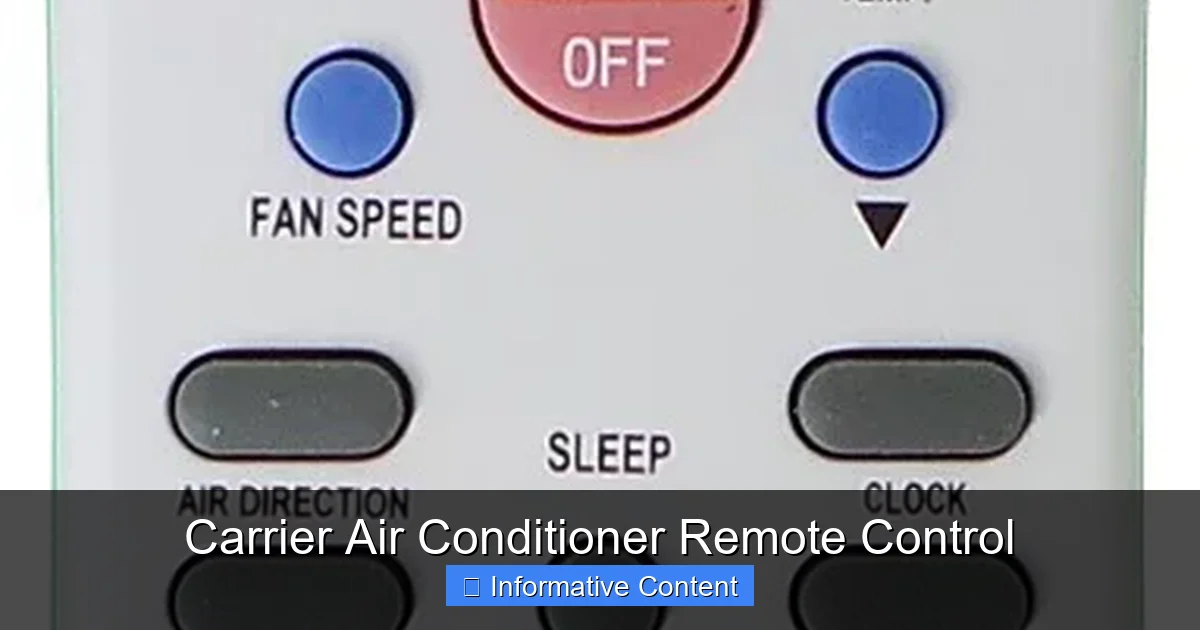
The Carrier air conditioner remote control puts complete climate control at your fingertips, offering convenience, energy savings, and precise temperature management. Whether you’re adjusting settings from across the room or programming a weekly schedule, this intuitive device enhances your cooling experience with reliability and smart functionality.
Key Takeaways
- Easy Operation: The Carrier remote control features a user-friendly interface with clearly labeled buttons for temperature, fan speed, mode selection, and timer functions.
- Energy Efficiency: Use programmable timers and sleep mode to reduce energy consumption and lower utility bills without sacrificing comfort.
- Multiple Operating Modes: Switch between cooling, heating, fan-only, dehumidify, and auto modes to suit changing weather and personal preferences.
- Advanced Features: Many models include turbo cooling, follow-me temperature sensing, and Wi-Fi connectivity for smart home integration.
- Compatibility Matters: Ensure your remote matches your specific Carrier AC model—universal remotes may not support all features.
- Troubleshooting Tips: Common issues like unresponsive buttons or signal problems can often be fixed with battery replacement or reset procedures.
- Maintenance & Care: Keep the remote clean, store it properly, and avoid exposure to moisture or direct sunlight to extend its lifespan.
📑 Table of Contents
- Introduction to the Carrier Air Conditioner Remote Control
- How the Carrier Remote Control Works
- Key Features of the Carrier Air Conditioner Remote Control
- Smart and Wi-Fi Enabled Remote Options
- Troubleshooting Common Remote Control Issues
- Choosing the Right Remote for Your Carrier AC
- Maintenance and Care Tips
- Conclusion
Introduction to the Carrier Air Conditioner Remote Control
Imagine walking into your home on a sweltering summer afternoon and instantly feeling a cool, refreshing breeze—without ever touching the AC unit. That’s the magic of the Carrier air conditioner remote control. This small but powerful device transforms how you interact with your cooling system, offering seamless control from anywhere in the room. Whether you’re lounging on the couch, cooking in the kitchen, or winding down in bed, the remote lets you adjust temperature, fan speed, and operating modes with just a few taps.
Carrier, a trusted name in HVAC technology for over a century, designs its remote controls to match the reliability and innovation of its air conditioning units. These remotes aren’t just accessories—they’re essential tools that enhance comfort, improve energy efficiency, and simplify daily use. From basic models with straightforward buttons to advanced versions with digital displays and smart features, Carrier remotes are built to meet a wide range of needs and preferences.
How the Carrier Remote Control Works
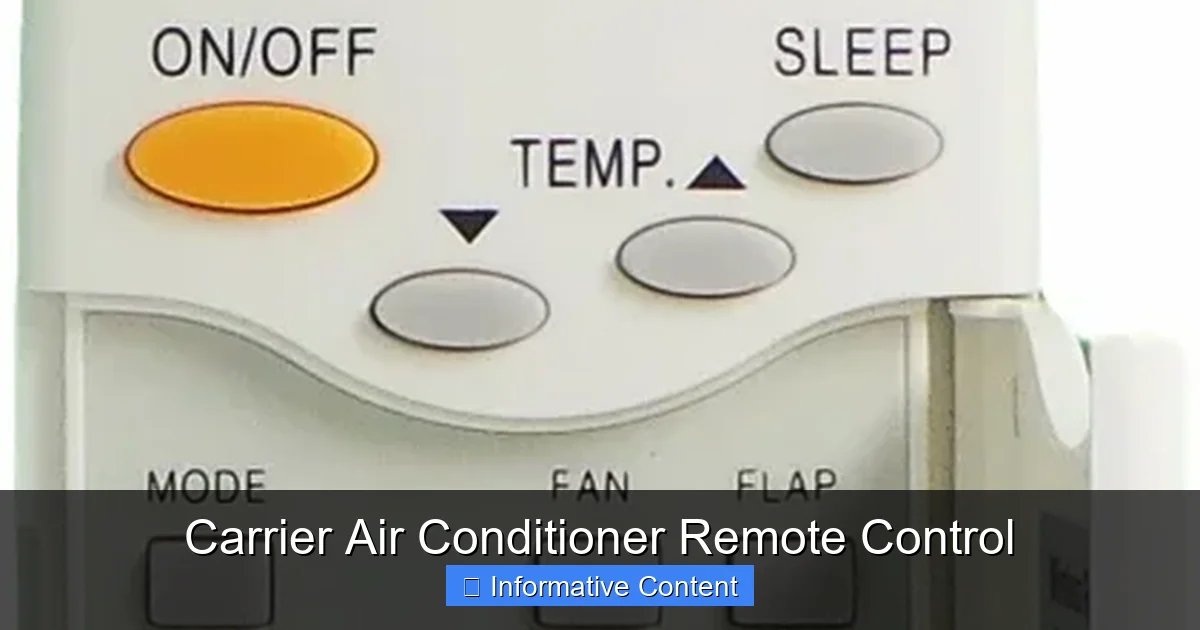
Visual guide about Carrier Air Conditioner Remote Control
Image source: cdn.shopify.com
At its core, the Carrier air conditioner remote control communicates with your AC unit using infrared (IR) signals. When you press a button—say, to lower the temperature—the remote sends a coded IR signal to the receiver on the indoor unit. The AC then interprets the command and adjusts its operation accordingly. This wireless communication happens instantly and reliably, as long as there’s a clear line of sight between the remote and the AC unit.
Most Carrier remotes operate on standard AA or AAA batteries, which typically last several months under normal use. Some newer models come with rechargeable batteries or USB charging options, adding convenience and reducing waste. The signal range is usually around 20 to 30 feet, depending on the model and environmental factors like walls or furniture. For best results, avoid placing the remote behind obstacles or in direct sunlight, which can interfere with signal transmission.
Signal Transmission and Range
The infrared technology used in Carrier remotes is simple yet effective. Unlike Wi-Fi or Bluetooth, IR doesn’t require a network connection, making it highly reliable and secure. However, it does require a direct line of sight. If you’re standing behind a couch or in another room, the signal might not reach the AC unit. To overcome this, some high-end Carrier models support Wi-Fi-enabled remotes or companion smartphone apps that allow control from anywhere in your home—or even remotely when you’re away.
Battery Life and Power Management
Battery life is a common concern for remote users. Carrier remotes are designed for energy efficiency, with auto-sleep functions that power down the display after periods of inactivity. Most models will last 6 to 12 months on a single set of batteries, depending on usage. If your remote starts acting sluggish or unresponsive, the first step should always be to replace the batteries. Always use high-quality alkaline batteries for optimal performance and longevity.
Key Features of the Carrier Air Conditioner Remote Control
Carrier remotes come packed with features that go beyond basic on/off control. These functionalities are designed to improve comfort, save energy, and adapt to your lifestyle. Let’s explore the most important ones.
Temperature Control and Precision
One of the primary functions of the remote is temperature adjustment. Most Carrier remotes allow you to set the temperature in 1-degree increments, giving you precise control over your indoor climate. This is especially useful during transitional seasons when small adjustments can make a big difference in comfort. For example, setting the AC to 74°F instead of 72°F can reduce energy use by up to 10% while still keeping you cool.
Some advanced models include a “Follow-Me” or “Remote Sensor” feature. This uses a temperature sensor in the remote itself to detect the ambient temperature where you are, rather than relying on the sensor inside the AC unit. If you’re sitting on the couch and the AC is mounted high on the wall, the remote can ensure the temperature near you is accurate—not just near the unit.
Multiple Operating Modes
Carrier remotes support several operating modes, each tailored to different needs:
- Cool Mode: The standard setting for lowering indoor temperature. Ideal for hot summer days.
- Heat Mode: Available on heat pump models, this mode warms your home during colder months.
- Fan Only: Circulates air without cooling or heating—great for ventilation on mild days.
- Dehumidify (Dry Mode): Reduces humidity without overcooling, perfect for humid climates or rainy seasons.
- Auto Mode: The AC automatically switches between cooling and heating to maintain your set temperature, ideal for fluctuating weather.
Switching between modes is as simple as pressing the “Mode” button on the remote. Each press cycles through the available options, with the current mode displayed on the screen.
Fan Speed and Airflow Control
Fan speed settings let you customize airflow intensity. Most Carrier remotes offer three to five fan speeds—Low, Medium, High, and sometimes Turbo or Auto. Lower speeds are quieter and more energy-efficient, while higher speeds cool the room faster. The “Auto” fan setting adjusts speed based on the difference between the current and desired temperature, optimizing comfort and efficiency.
For example, if you set the AC to 70°F on a 90°F day, the fan will run at high speed initially and gradually slow down as the room cools. This prevents sudden blasts of cold air and maintains a steady, comfortable environment.
Timer and Scheduling Functions
The timer feature is a game-changer for energy savings and convenience. You can set the AC to turn on or off at specific times—perfect for cooling your home before you arrive from work or turning it off automatically at night. Some models allow you to program a 24-hour schedule, so your AC runs only when needed.
For instance, you might set the AC to turn on at 5:30 PM so your home is cool by the time you get home at 6:00 PM. Or use the sleep timer to gradually raise the temperature overnight, reducing energy use while you sleep. These small adjustments can lead to significant savings on your electricity bill over time.
Turbo and Quick Cool Features
When you need rapid cooling—like after a workout or during a heatwave—the Turbo or Quick Cool mode kicks the AC into high gear. This setting maximizes cooling output and fan speed for a set period (usually 30 minutes), then returns to normal operation. It’s a great way to cool down quickly without manually adjusting settings.
Sleep Mode for Nighttime Comfort
Sleep mode is designed to enhance comfort and efficiency during the night. When activated, the remote gradually increases the temperature by 1–2 degrees over the first hour, then maintains that level. This mimics the body’s natural cooling process during sleep and reduces energy consumption. You’ll stay comfortable without waking up too cold.
Smart and Wi-Fi Enabled Remote Options
As smart home technology becomes more popular, Carrier has introduced Wi-Fi-enabled remote controls and compatible smartphone apps. These advanced options allow you to control your AC from anywhere using your phone, tablet, or voice assistant like Alexa or Google Assistant.
Carrier Côr and Infinity System Compatibility
Models like the Carrier Côr thermostat and Infinity System support full smart integration. With the Côr app, you can adjust temperature, view energy usage, receive maintenance alerts, and even set geofencing—so your AC turns on when you’re near home and off when you leave. This level of control not only boosts convenience but also maximizes energy efficiency.
For example, if you’re running late at work, you can delay the AC from turning on until you’re closer to home. Or if you’re on vacation, you can monitor and adjust settings remotely to prevent extreme temperatures that could damage your home.
Voice Control and Automation
With smart remotes, you can say, “Alexa, set the living room AC to 72 degrees,” and it will happen instantly. You can also create automation routines—like turning on the AC when the temperature reaches 80°F or turning it off when everyone leaves the house. These features make climate control effortless and intuitive.
Troubleshooting Common Remote Control Issues
Even the best remotes can run into problems. Here’s how to fix the most common issues with your Carrier air conditioner remote control.
Remote Not Responding
If your remote isn’t working, start by checking the batteries. Weak or dead batteries are the #1 cause of unresponsiveness. Replace them with fresh ones and make sure they’re inserted correctly. Also, check for corrosion in the battery compartment—clean it with a cotton swab and rubbing alcohol if needed.
Next, ensure there’s a clear line of sight between the remote and the AC unit. Obstructions like furniture, curtains, or even your body can block the IR signal. Try standing closer to the unit or pointing the remote directly at the receiver (usually a small window on the front of the indoor unit).
Buttons Sticking or Not Working
Dirt, dust, or moisture can cause buttons to stick or fail. Turn off the remote, remove the batteries, and gently clean the button area with a soft, dry cloth. For stubborn grime, use a cotton swab lightly dampened with isopropyl alcohol. Avoid spraying liquid directly onto the remote.
If a button is physically damaged or unresponsive after cleaning, the remote may need replacement. Contact Carrier customer support or check your warranty.
Display Not Lighting Up
If the screen is dark, it could be a battery issue or a backlight problem. Try new batteries first. If the display remains off, the remote may have a hardware fault. Some models have a reset button—check the user manual for instructions. If not, consider replacing the remote.
Incorrect Temperature Readings
If the remote shows a temperature that doesn’t match the room, it could be due to the “Follow-Me” sensor being blocked or placed near a heat source (like a lamp or window). Move the remote to a central location away from direct sunlight or drafts. If the issue persists, recalibrate the sensor or disable the feature temporarily.
Remote Lost or Damaged
Losing your remote is frustrating, but replacement options are available. You can purchase an official Carrier remote from authorized dealers or online retailers. Make sure to match the model number of your AC unit for full compatibility. Universal remotes are an option, but they may not support all features like Turbo mode or Wi-Fi.
Choosing the Right Remote for Your Carrier AC
Not all Carrier remotes are created equal. Choosing the right one depends on your AC model, features, and personal preferences.
Check Your AC Model Number
Start by locating your AC’s model number, usually found on a label inside the front panel or on the unit itself. Use this to find the compatible remote. Carrier’s website and customer service can help match remotes to specific models.
Consider Your Needs
If you value simplicity, a basic remote with essential functions may suffice. But if you want advanced features like scheduling, sleep mode, or smart connectivity, opt for a higher-end model. Think about how you use your AC—do you need quick cooling? Do you travel often? These factors will guide your choice.
Universal vs. OEM Remotes
Original Equipment Manufacturer (OEM) remotes are designed specifically for Carrier units and offer full functionality. Universal remotes are cheaper and work with multiple brands, but may lack certain features or require programming. For best results, stick with OEM when possible.
Maintenance and Care Tips
Proper care extends the life of your remote and ensures reliable performance.
Keep It Clean
Wipe the remote regularly with a soft, dry cloth to remove dust and fingerprints. Avoid harsh chemicals or abrasive materials that could damage the screen or buttons.
Store It Properly
When not in use, store the remote in a dry, cool place. Avoid leaving it on windowsills, near heaters, or in humid areas like bathrooms. Consider using a remote holder or drawer organizer to prevent loss.
Replace Batteries Promptly
Don’t wait until the remote stops working completely. Replace batteries every 6–12 months or when you notice reduced performance. This prevents leakage and corrosion.
Avoid Physical Damage
Dropping the remote can damage internal components. Handle it gently and keep it away from pets or young children who might chew or throw it.
Conclusion
The Carrier air conditioner remote control is more than just a convenience—it’s a vital part of your home’s comfort system. With intuitive controls, energy-saving features, and smart capabilities, it puts you in charge of your indoor climate like never before. Whether you’re cooling down on a hot day, saving energy with timers, or adjusting settings from your phone, the remote enhances every aspect of your AC experience.
By understanding how it works, maintaining it properly, and choosing the right model, you can enjoy reliable performance for years to come. So the next time you grab your remote, remember: you’re not just changing the temperature—you’re optimizing comfort, efficiency, and peace of mind.
Frequently Asked Questions
Can I use a universal remote with my Carrier air conditioner?
Yes, but universal remotes may not support all features like Turbo mode, Follow-Me sensing, or Wi-Fi functions. For full compatibility, it’s best to use an official Carrier remote designed for your specific model.
Why is my Carrier remote not turning on the AC?
Check the batteries first—weak or dead batteries are the most common cause. Also, ensure there’s a clear line of sight between the remote and the AC unit, and that the AC is powered on and not in a locked or sleep mode.
How do I reset my Carrier air conditioner remote?
Some models have a small reset button inside the battery compartment. If not, remove the batteries, wait 30 seconds, then reinsert them. This can restore normal operation if the remote is glitching.
Does the Carrier remote work with smart home systems?
Yes, certain models—like those compatible with the Carrier Côr system—support Wi-Fi and can be integrated with Alexa, Google Assistant, and smart home platforms for voice control and automation.
How often should I replace the batteries in my remote?
Replace batteries every 6 to 12 months, or when you notice the remote becoming slow or unresponsive. Use high-quality alkaline batteries for best results.
Can I control my Carrier AC without a remote?
Yes, most Carrier units have manual control panels on the indoor unit. However, these are limited and less convenient than using the remote, especially for adjusting temperature or setting timers.