
If your Carrier air conditioner is not turning on, it could be due to a tripped breaker, faulty thermostat, or dirty filters. This guide walks you through step-by-step troubleshooting to identify and fix the issue safely and effectively.
Key Takeaways
- Check the power supply first: A tripped circuit breaker or blown fuse is one of the most common reasons your Carrier AC won’t turn on.
- Inspect the thermostat settings: Make sure it’s set to “cool” and the temperature is lower than the current room temperature.
- Replace dirty air filters: Clogged filters restrict airflow and can cause the system to shut down as a safety measure.
- Examine the condensate drain line: A clogged drain can trigger a safety switch that prevents the AC from starting.
- Look for frozen coils: Ice buildup on evaporator coils often means airflow or refrigerant issues that need attention.
- Test the capacitor and contactor: These electrical components wear out over time and may need replacement by a professional.
- Schedule regular maintenance: Prevent future problems with annual servicing to keep your Carrier AC in top shape.
📑 Table of Contents
- Why Your Carrier Air Conditioner Is Not Turning On
- Check the Power Supply and Electrical Connections
- Thermostat Settings and Malfunctions
- Air Filter and Airflow Issues
- Condensate Drain and Safety Switches
- Electrical Components: Capacitors, Contactors, and Relays
- Refrigerant Levels and System Leaks
- When to Call a Professional
- Conclusion
Why Your Carrier Air Conditioner Is Not Turning On
It’s a hot summer afternoon, and you reach for the thermostat to cool down your home—only to find that your Carrier air conditioner won’t turn on. Frustrating? Absolutely. But before you panic or call a technician, there are several common and often simple reasons why your AC might be refusing to start. Understanding these causes can save you time, money, and discomfort.
Carrier is known for building reliable, high-efficiency air conditioning systems, but even the best units can run into problems. Whether you own a sleek Carrier Infinity series or a dependable Performance model, electrical issues, maintenance oversights, or environmental factors can prevent your AC from kicking on. The good news? Many of these issues are fixable with a little know-how and some basic troubleshooting.
In this guide, we’ll walk you through the most common reasons your Carrier air conditioner is not turning on—and how to safely diagnose and resolve them. From checking your thermostat to inspecting internal components, we’ll cover everything you need to know to get your cooling system back up and running.
Check the Power Supply and Electrical Connections
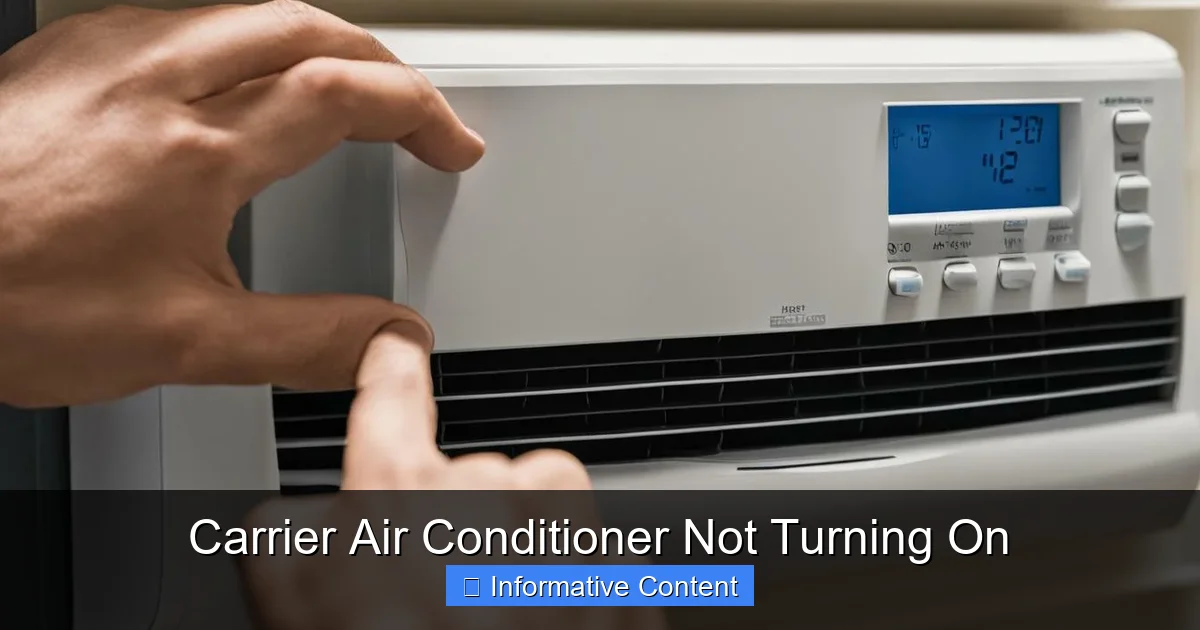
Visual guide about Carrier Air Conditioner Not Turning On
Image source: breezeboss.com
One of the first things to investigate when your Carrier air conditioner won’t turn on is the power supply. Without electricity, your AC simply can’t function—no matter how well-maintained it is.
Inspect the Circuit Breaker
Start by heading to your home’s electrical panel. Look for the breaker labeled “AC” or “Air Conditioner.” If it’s in the “off” position or has tripped to the middle, that’s likely your culprit. Breakers trip when there’s an overload or short circuit, which can happen during power surges or if the AC is working too hard.
To reset it, turn the breaker fully to “off” and then back to “on.” Wait a few minutes before testing the AC again. If the breaker trips immediately or repeatedly, there may be a deeper electrical issue—like a shorted wire or a failing compressor—that requires a professional electrician or HVAC technician.
Check the Disconnect Switch
Outside near your condenser unit, there’s usually a metal box with a pull-out or flip-switch called the disconnect switch. This is a safety feature that cuts power to the outdoor unit for maintenance. Sometimes, this switch gets accidentally turned off—especially after storms or yard work.
Make sure the switch is in the “on” position. If it’s a pull-out type, ensure it’s fully inserted. A loose or disconnected switch is a quick fix that can restore power instantly.
Test the Fuses
Some older Carrier models use fuses instead of breakers for the outdoor unit. If your system has fuses, check them for signs of burning or a broken filament. Replace any blown fuses with the same amperage rating. Never use a higher-rated fuse—it could damage the system or create a fire hazard.
Verify the Thermostat Batteries
If your thermostat is battery-powered, dead batteries can make it seem like the AC isn’t responding. Even if the display is on, weak batteries may not send a strong enough signal to activate the system. Replace the batteries and see if that resolves the issue.
Thermostat Settings and Malfunctions
Your thermostat is the brain of your cooling system. If it’s not sending the right signals, your Carrier air conditioner won’t turn on—even if everything else is working perfectly.
Confirm the Mode and Temperature Settings
It sounds obvious, but double-check that your thermostat is set to “cool” and not “heat,” “off,” or “fan only.” Also, make sure the temperature setting is lower than the current room temperature. For example, if it’s 78°F in your home, set the thermostat to 72°F to trigger the cooling cycle.
Some smart thermostats have scheduling features that might override manual settings. Check the schedule to ensure it’s not programmed to stay off during certain hours.
Test the Thermostat Itself
If the settings are correct but the AC still won’t turn on, the thermostat might be faulty. Try turning the fan to “on” instead of “auto.” If the indoor fan runs, the issue is likely with the cooling signal—not the entire system.
You can also perform a simple test: remove the thermostat from the wall and gently touch the two main wires together (usually the R and Y wires). If the AC kicks on, the thermostat is the problem. If it doesn’t, the issue lies elsewhere.
Upgrade to a Smart Thermostat
Older thermostats can wear out over time, leading to inconsistent performance. Consider upgrading to a Carrier-compatible smart thermostat like the Carrier Cor or Infinity Touch. These devices offer better accuracy, remote control, and diagnostic alerts that can help prevent future issues.
Air Filter and Airflow Issues
Restricted airflow is a silent killer of air conditioners. When air can’t flow freely through the system, it can cause overheating, frozen coils, and automatic shutdowns—all of which prevent your Carrier AC from turning on.
Replace Dirty Air Filters
Your air filter traps dust, pollen, and debris to keep your indoor air clean. But over time, it becomes clogged, blocking airflow. A dirty filter forces the system to work harder, which can trip safety switches or cause the evaporator coil to freeze.
Check your filter every month during peak cooling season. If it looks gray or clogged, replace it with a new one of the same size and MERV rating. Most Carrier systems use standard 1-inch filters, but some high-efficiency models may require thicker filters.
Inspect Vents and Returns
Make sure all supply and return vents are open and unobstructed. Furniture, curtains, or rugs blocking vents can restrict airflow. Also, check that return air grilles aren’t covered by dust or debris.
In larger homes, closed vents in unused rooms can create pressure imbalances that affect system performance. Keep at least 80% of your vents open for optimal airflow.
Look for Frozen Evaporator Coils
If your AC won’t turn on and you notice ice on the indoor coil or refrigerant lines, airflow is likely the culprit. Turn off the system and let the ice melt completely—this can take several hours. Once thawed, replace the air filter and ensure all vents are open.
If the coils freeze again, there may be a refrigerant leak or a blower motor issue. These require professional diagnosis and repair.
Condensate Drain and Safety Switches
Air conditioners produce condensation as they cool your home. This moisture drains out through a condensate line. If that line gets clogged, water can back up and trigger a safety switch that shuts down the system.
Locate the Drain Line and Pan
The condensate drain line usually runs from the indoor air handler to a floor drain or outside. Look for a PVC pipe near your furnace or air handler. Some systems also have a secondary drain pan with a float switch.
Clear Clogs in the Drain Line
Algae, mold, and debris can build up in the drain line, causing blockages. To clear it, locate the access point (often a T-fitting with a cap) and use a wet/dry vacuum to suck out the clog. You can also flush the line with a mixture of water and vinegar to prevent future growth.
Check the Float Switch
Many Carrier systems have a float switch in the drain pan that cuts power to the AC if water rises too high. If this switch is stuck or tripped, your AC won’t turn on even if the drain is clear. Gently lift the float to see if it moves freely. If it’s stuck, clean it or replace it.
Install a Drain Line Alarm
To prevent future clogs from causing shutdowns, consider installing a condensate drain alarm. These devices alert you when water levels rise, giving you time to address the issue before the AC stops working.
Electrical Components: Capacitors, Contactors, and Relays
Inside your Carrier air conditioner are several electrical components that help start and run the system. Over time, these parts can wear out, leading to startup failures.
Test the Capacitor
The capacitor stores electrical energy and helps start the compressor and fan motors. A failed capacitor is one of the most common reasons an AC won’t turn on. Signs include a humming sound from the outdoor unit or the compressor trying to start but failing.
Capacitors can be tested with a multimeter, but they store a dangerous charge even when power is off. If you’re not experienced with electrical work, it’s best to call a technician. Replacing a capacitor is relatively inexpensive and can restore function quickly.
Inspect the Contactor
The contactor is a switch that sends power to the compressor and fan. Over time, the contacts can burn or pitted, preventing proper connection. Look for signs of arcing, blackening, or pitting on the contactor terminals.
If the contactor looks damaged, it should be replaced. Like capacitors, contactors are low-cost parts but require electrical knowledge to install safely.
Check Relays and Control Boards
Modern Carrier systems use control boards to manage operation. If a relay on the board fails, it can prevent the AC from starting. These issues are harder to diagnose and usually require a professional with diagnostic tools.
Some Carrier models have diagnostic lights or error codes that can help pinpoint the problem. Refer to your owner’s manual or look up your model number online for code meanings.
Refrigerant Levels and System Leaks
Refrigerant is the lifeblood of your air conditioner. It absorbs heat from your home and releases it outside. If levels are too low—often due to a leak—the system may not turn on or may shut down as a safety precaution.
Signs of Low Refrigerant
Common signs include warm air blowing from vents, ice on refrigerant lines, or hissing sounds near the indoor coil. However, refrigerant issues rarely cause a complete failure to turn on—more often, the system runs but doesn’t cool effectively.
That said, many Carrier systems have low-pressure switches that shut down the compressor if refrigerant levels drop too low. This can make it seem like the AC won’t start at all.
Never Recharge Refrigerant Yourself
Adding refrigerant without finding and fixing the leak is illegal in many areas and can damage your system. Only licensed HVAC technicians can handle refrigerant due to environmental regulations.
If you suspect a leak, schedule a professional inspection. They’ll use electronic detectors or UV dye to locate the leak and repair it before recharging the system.
Prevent Leaks with Regular Maintenance
Corrosion, vibration, and age can cause refrigerant lines to develop leaks. Regular maintenance helps catch these issues early. During a tune-up, technicians inspect coils, lines, and connections for signs of wear.
When to Call a Professional
While many issues can be resolved with basic troubleshooting, some problems require expert attention. Knowing when to call a technician can save you from causing further damage.
Repeated Tripping of Breakers
If your breaker trips every time you try to turn on the AC, there’s likely a short circuit or ground fault. This is a serious electrical issue that should be handled by a licensed electrician or HVAC pro.
Strange Noises or Smells
Grinding, screeching, or burning smells from the unit indicate mechanical or electrical problems. Turn off the system immediately and call for service.
No Cooling After Troubleshooting
If you’ve checked the power, thermostat, filters, and drain line—and the AC still won’t turn on or cool—it’s time for professional help. There may be an internal fault in the compressor, control board, or wiring.
Annual Maintenance Is Key
Even if your AC is working, schedule annual maintenance with a Carrier-certified technician. They’ll clean coils, check refrigerant levels, test electrical components, and ensure everything is running efficiently. Preventive care can extend the life of your system and prevent unexpected breakdowns.
Conclusion
A Carrier air conditioner not turning on can be stressful, especially during a heatwave. But in most cases, the cause is something simple—like a tripped breaker, dirty filter, or incorrect thermostat setting. By following the steps in this guide, you can safely troubleshoot and often resolve the issue yourself.
Start with the basics: check power, settings, and airflow. Then move on to more advanced checks like the condensate drain and electrical components. And remember, when in doubt, it’s always better to call a professional than risk damaging your system.
With regular maintenance and a little attention, your Carrier air conditioner can keep you cool and comfortable for years to come. Don’t wait for the next heatwave—take action today to ensure your AC is ready when you need it most.
Frequently Asked Questions
Why won’t my Carrier air conditioner turn on even though the thermostat is set correctly?
This could be due to a tripped breaker, dead thermostat batteries, or a faulty thermostat. Check your electrical panel and replace the thermostat batteries first. If the issue persists, test the thermostat by manually connecting the wires.
Can a dirty air filter prevent my Carrier AC from turning on?
Yes, a severely clogged filter can restrict airflow so much that the system overheats or freezes, triggering a safety shutdown. Replace the filter and ensure all vents are open to restore proper airflow.
What does it mean if my Carrier AC hums but doesn’t start?
A humming sound usually indicates a failed capacitor or a seized compressor. The capacitor helps start the motor, and if it’s bad, the motor can’t turn. This requires professional diagnosis and replacement.
How often should I replace the air filter in my Carrier air conditioner?
Replace your air filter every 1–3 months, depending on usage and air quality. During peak cooling season, check it monthly. A clean filter improves efficiency and prevents system shutdowns.
Is it safe to reset the breaker multiple times if my AC keeps tripping it?
No. Repeated tripping suggests an underlying electrical or mechanical problem, such as a short circuit or failing compressor. Continuing to reset it can cause damage or create a fire hazard. Call a technician immediately.
Can I fix a frozen evaporator coil myself?
You can thaw the coil by turning off the AC and letting it melt, but you must address the root cause—usually a dirty filter or blocked airflow. If freezing happens repeatedly, have a professional check for refrigerant leaks or blower issues.