
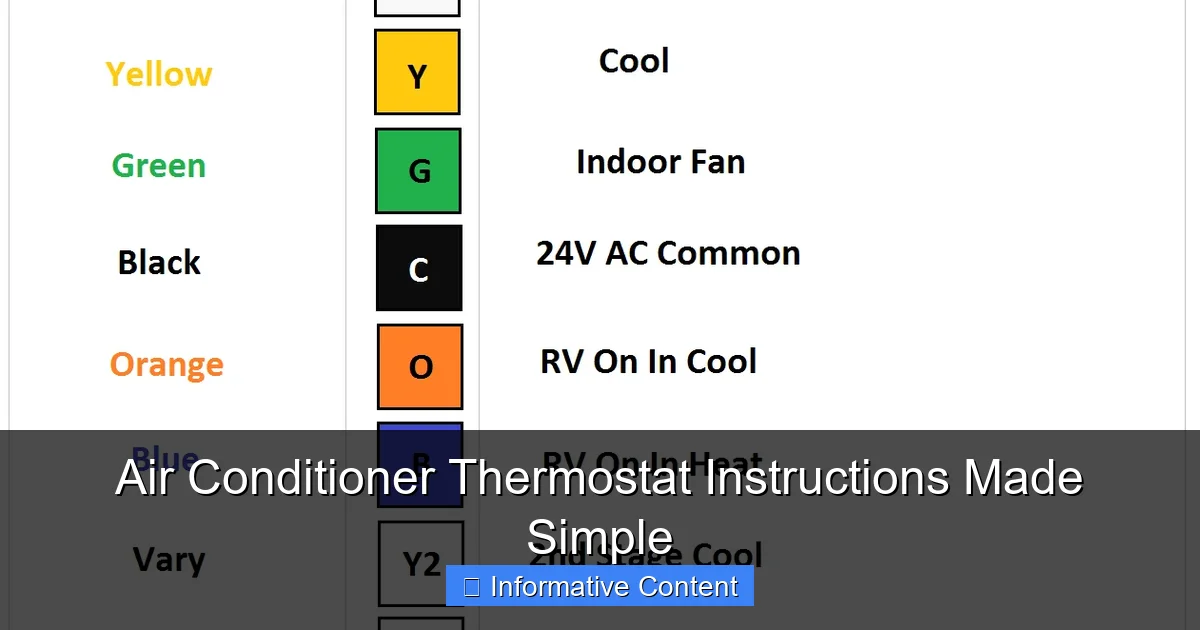
Featured image for air conditioner thermostat instructions
Image source: i2.wp.com
Mastering your air conditioner thermostat doesn’t have to be complicated—this guide simplifies every step for effortless control and optimal comfort. From setting the right temperature to understanding modes like “Cool,” “Heat,” and “Auto,” clear instructions ensure energy efficiency and peak performance year-round. Whether you’re adjusting settings manually or programming a schedule, these easy-to-follow tips help you get the most from your AC unit without the guesswork.
Key Takeaways
- Set the right mode: Choose “Cool” for air conditioning and avoid “Heat” or “Auto” unless needed.
- Adjust temperature wisely: Aim for 72–78°F for comfort and energy efficiency.
- Use the fan setting: Select “Auto” to save energy; “On” keeps air circulating continuously.
- Program schedules: Use programmable settings to reduce runtime when you’re away.
- Check thermostat placement: Keep it away from heat sources for accurate readings.
- Replace batteries regularly: Prevent unexpected shutdowns with timely battery changes.
📑 Table of Contents
- Air Conditioner Thermostat Instructions Made Simple
- Understanding Your Air Conditioner Thermostat
- How to Set the Temperature on Your Thermostat
- Choosing the Right Mode and Fan Settings
- Troubleshooting Common Thermostat Issues
- Maximizing Energy Efficiency with Your Thermostat
- Maintenance and When to Replace Your Thermostat
- Final Thoughts: Take Control of Your Comfort
Air Conditioner Thermostat Instructions Made Simple
Let’s be honest—air conditioners are lifesavers during those sweltering summer months. But when it comes to the thermostat? That little box on the wall can feel like a puzzle wrapped in a riddle. I remember the first time I tried to adjust mine. I pressed every button, twisted every dial, and still ended up either freezing or sweating. Sound familiar? You’re not alone. Many people struggle with understanding their AC thermostat, not because it’s overly complicated, but because the instructions are often buried in thick manuals or written in technical jargon that feels like a foreign language.
The good news? Once you understand the basics, using your air conditioner thermostat becomes second nature. Whether you’re dealing with a basic manual thermostat or a sleek smart model, the core principles are the same: set your desired temperature, choose your mode, and let the system do the rest. In this guide, I’ll walk you through everything you need to know—step by step—so you can stay cool, save energy, and avoid frustration. No engineering degree required. Just clear, practical advice that actually makes sense.
Understanding Your Air Conditioner Thermostat
Before you can master your thermostat, it helps to know what it actually does. At its core, the thermostat is the brain of your cooling system. It senses the room temperature and tells your air conditioner when to turn on or off to maintain the temperature you’ve set. Think of it like a thermostat in your car—it monitors conditions and adjusts accordingly. But unlike your car’s thermostat (which controls engine temperature), your home thermostat controls comfort.
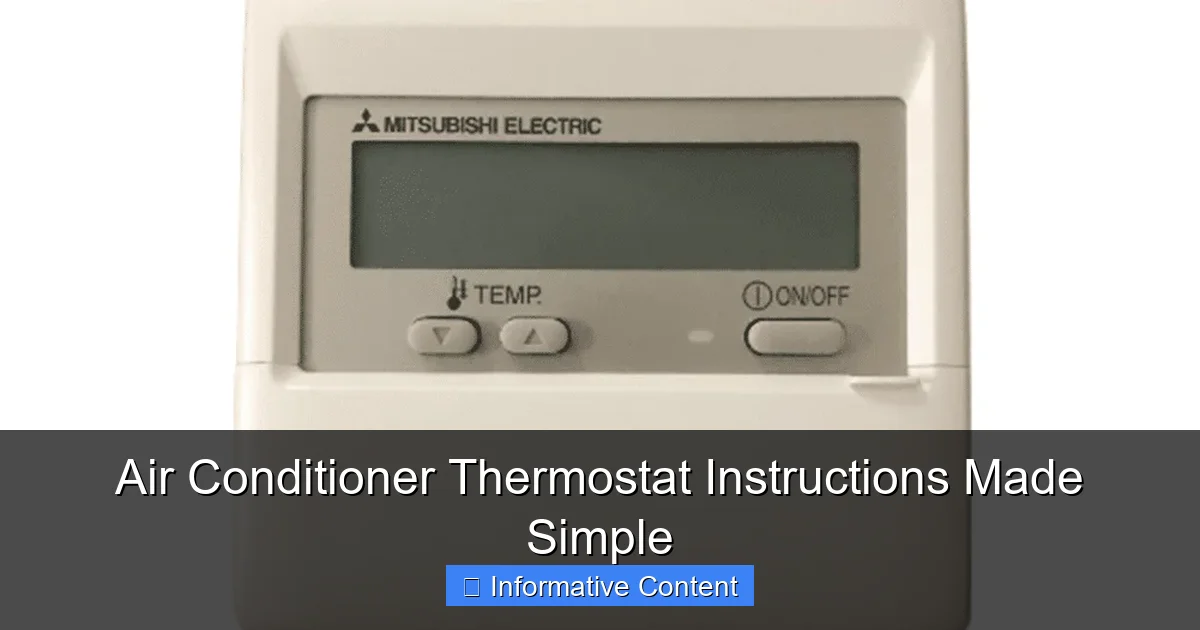
Visual guide about air conditioner thermostat instructions
Image source: rattanelect.com
Types of Thermostats: Which One Do You Have?
There are three main types of thermostats you might encounter:
- Manual (Mechanical) Thermostats: These are the oldest type, often found in older homes. They use a bimetallic strip that expands and contracts with temperature changes. You adjust them with a dial or lever. Simple, but not very precise.
- Digital Thermostats: These use electronic sensors and display the temperature on a screen. You set the temperature with buttons or a touchscreen. More accurate than manual models and often include programmable features.
- Smart Thermostats: The latest and greatest. These connect to Wi-Fi, learn your habits, and can be controlled via smartphone apps. Some even adjust automatically based on weather or your location. Examples include the Nest, Ecobee, and Honeywell Home models.
Knowing which type you have is the first step to using it effectively. If you’re not sure, check the brand and model number—usually found on the front or back of the unit. A quick online search will tell you everything you need to know.
Key Components of a Thermostat
Even though thermostats vary in design, they all have a few common parts:
- Temperature Sensor: Detects the current room temperature.
- Display: Shows the current and set temperature (on digital and smart models).
- Control Buttons or Dial: Used to adjust settings.
- Mode Switch: Lets you choose between cooling, heating, fan-only, or auto.
- Fan Switch: Controls whether the fan runs continuously or only when cooling.
- Programmable Settings (on digital/smart models): Allow you to set different temperatures for different times of day.
Understanding these components helps you navigate your thermostat with confidence. For example, if your AC isn’t turning on, checking the mode switch is a good first step—maybe it’s accidentally set to “heat” or “off.”
How to Set the Temperature on Your Thermostat
Setting the temperature might seem obvious, but there’s more to it than just picking a number. The goal is to balance comfort and energy efficiency. Setting it too low won’t cool your home faster—it just makes the AC run longer, increasing your energy bill. In fact, the Department of Energy recommends setting your thermostat to 78°F (26°C) when you’re home and awake, and higher when you’re away or asleep.
Step-by-Step: Adjusting the Temperature
Here’s how to set the temperature on different types of thermostats:
- Manual Thermostat: Turn the dial or slide the lever to your desired temperature. Wait a few minutes for the system to respond. If it’s not cooling, make sure the mode is set to “cool” and the fan is on “auto.”
- Digital Thermostat: Press the “up” or “down” arrow buttons to adjust the temperature. The display will show the new setting. Some models have a “hold” or “permanent” button to lock in your choice.
- Smart Thermostat: Use the touchscreen or app to set the temperature. Many smart thermostats will suggest energy-saving settings based on your usage patterns.
Pro Tip: Avoid drastic temperature changes. If it’s 90°F outside, don’t set your thermostat to 65°F expecting instant relief. Your AC can only cool about 20°F below the outdoor temperature efficiently. A more realistic target is 72–78°F.
Using Programmable Settings for Better Efficiency
If your thermostat is programmable, take advantage of it. You can set it to raise the temperature when you’re at work and lower it before you return home. This saves energy without sacrificing comfort.
For example:
- 7:00 AM – Set to 78°F (wake up)
- 9:00 AM – Raise to 82°F (leave for work)
- 5:30 PM – Lower to 76°F (return home)
- 11:00 PM – Raise to 80°F (sleep)
Most digital and smart thermostats let you create a 7-day schedule. Some even have “vacation mode” for extended absences. Just remember: programming takes a little time upfront, but it pays off in lower energy bills and less manual adjusting.
Choosing the Right Mode and Fan Settings
The mode and fan settings on your thermostat control how your air conditioner operates. Getting these right ensures efficient cooling and better air circulation.
Cooling Mode vs. Other Options
Your thermostat likely has several mode options:
- Cool: Activates the air conditioner to lower the temperature.
- Heat: Turns on the heating system (if you have a heat pump or furnace).
- Auto: Automatically switches between cooling and heating to maintain the set temperature. Great for year-round use.
- Off: Turns off both heating and cooling.
- Fan Only: Runs the fan without activating the AC. Useful for circulating air or ventilating the home.
For summer cooling, always select “cool” or “auto.” If you choose “auto,” the system will only run the AC when needed, which can save energy.
Fan Settings: Auto vs. On
The fan setting determines how the blower operates:
- Auto: The fan runs only when the AC is actively cooling. This is the most energy-efficient option and prevents unnecessary airflow.
- On: The fan runs continuously, even when the AC isn’t cooling. This improves air circulation and filtration but uses more electricity.
Most experts recommend using “auto” for everyday cooling. However, if you have allergies or want better air quality, running the fan continuously (“on”) can help filter dust and allergens. Just be aware it will increase your energy usage slightly.
Real-Life Example: My neighbor runs her fan on “on” all summer because she has asthma. She says the constant airflow helps her breathe easier, even though her bill is a bit higher. It’s a trade-off—comfort and health vs. cost. You decide what works best for your household.
Troubleshooting Common Thermostat Issues
Even the best thermostats can act up. If your AC isn’t cooling, the problem might not be the unit itself—it could be the thermostat. Here are some common issues and how to fix them.
Thermostat Not Turning On the AC
If your air conditioner isn’t responding, check these things first:
- Power: Is the thermostat receiving power? Check the circuit breaker or replace the batteries (if it’s battery-operated).
- Mode: Is it set to “cool” or “auto”? It’s easy to accidentally switch it to “heat” or “off.”
- Temperature Setting: Is the set temperature lower than the current room temperature? If it’s set to 80°F but the room is 75°F, the AC won’t turn on.
- Dirty Sensor: Dust or debris on the temperature sensor can cause inaccurate readings. Gently clean it with a soft cloth.
Quick Fix: Turn the thermostat off, wait 30 seconds, then turn it back on. This resets the system and often resolves minor glitches.
Inaccurate Temperature Readings
If your thermostat says it’s 72°F but it feels like 80°F, the sensor might be off. This can happen if the thermostat is near a heat source (like a lamp or window) or in a drafty area.
To fix this:
- Relocate the thermostat if possible (ideal placement is on an interior wall, away from direct sunlight and vents).
- Use a separate thermometer to check the actual room temperature and adjust the thermostat accordingly.
- On smart thermostats, enable “temperature averaging” if available—this uses multiple sensors for more accurate readings.
Thermostat Display Is Blank
A blank screen usually means a power issue. Try these steps:
- Replace the batteries (if applicable).
- Check the circuit breaker—flip it off and on.
- Ensure the thermostat is properly connected to the wall base.
If none of these work, the thermostat may be faulty and need replacement. Most thermostats last 10–15 years, so if yours is older, it might be time for an upgrade.
Maximizing Energy Efficiency with Your Thermostat
Your thermostat doesn’t just control comfort—it plays a big role in your energy bill. According to the U.S. Department of Energy, heating and cooling account for nearly half of the average home’s energy use. That’s why smart thermostat use can lead to significant savings.
Best Practices for Energy Savings
Here are some proven tips to keep your home cool without breaking the bank:
- Use a programmable schedule: As mentioned earlier, raising the temperature when you’re away can save 10% a year on cooling costs.
- Avoid frequent adjustments: Constantly changing the temperature confuses the system and wastes energy. Set it and forget it.
- Use ceiling fans: Fans don’t cool the air, but they make you feel cooler by creating a breeze. This lets you raise the thermostat by 4°F without sacrificing comfort.
- Seal leaks and insulate: Cool air escapes through gaps around windows, doors, and ducts. Proper insulation keeps your home cooler longer.
- Maintain your AC unit: A dirty filter or clogged condenser can make your system work harder. Replace filters every 1–3 months and schedule annual maintenance.
Smart Thermostats: The Ultimate Efficiency Tool
If you’re serious about saving energy, consider upgrading to a smart thermostat. These devices offer features like:
- Remote control via smartphone
- Learning your schedule and adjusting automatically
- Energy usage reports
- Geofencing (adjusts temperature when you leave or return home)
- Integration with home assistants like Alexa or Google Home
Studies show that smart thermostats can reduce cooling costs by 10–15%. Over time, the savings often cover the cost of the device. Plus, many utility companies offer rebates for installing energy-efficient thermostats.
Personal Note: I upgraded to a smart thermostat last year. At first, I was skeptical—would it really make a difference? But after seeing my energy bill drop by $30 a month, I was sold. The app even sends me tips like, “You used 20% more energy this week—consider raising the temperature while you’re at work.” It’s like having a personal energy coach.
Maintenance and When to Replace Your Thermostat
Like any device, your thermostat needs occasional care to function properly. Regular maintenance can prevent issues and extend its lifespan.
Simple Maintenance Tips
Here’s how to keep your thermostat in top shape:
- Clean it gently: Use a soft, dry cloth to wipe the display and sensors. Avoid water or cleaning sprays—they can damage electronics.
- Check the batteries: Replace them once a year, even if the thermostat still works. Weak batteries can cause erratic behavior.
- Inspect wiring (for hardwired models): If you’re comfortable doing so, turn off the power and check that wires are secure. Loose connections can cause malfunctions.
- Calibrate if needed: Some digital thermostats allow you to adjust the temperature reading by a few degrees if it’s consistently off.
Signs It’s Time for a Replacement
Even with good care, thermostats don’t last forever. Consider replacing yours if:
- It’s more than 10–15 years old
- The temperature readings are consistently inaccurate
- The display is dim or unresponsive
- Your energy bills are rising despite no change in usage
- You want to upgrade to a smart model for better control and savings
Replacing a thermostat is usually a DIY job. Most models come with clear instructions, and the process takes less than an hour. Just remember to turn off the power at the breaker before starting.
Final Thoughts: Take Control of Your Comfort
Mastering your air conditioner thermostat doesn’t have to be complicated. With a little knowledge and the right habits, you can enjoy a cool, comfortable home while saving money and energy. Whether you’re using a basic dial thermostat or a high-tech smart model, the principles are the same: set a reasonable temperature, choose the right mode, and maintain your system.
Remember, your thermostat is more than just a temperature controller—it’s a tool for comfort, efficiency, and peace of mind. So the next time you reach for that dial or tap that screen, do it with confidence. You’ve got this.
| Season | When Home | When Away | When Sleeping |
|---|---|---|---|
| Summer | 78°F (26°C) | 82–85°F (28–29°C) | 80–82°F (27–28°C) |
| Winter | 68–70°F (20–21°C) | 62–65°F (17–18°C) | 65–68°F (18–20°C) |
| Spring/Fall | 72–74°F (22–23°C) | 75–78°F (24–26°C) | 74–76°F (23–24°C) |
Use this table as a starting point and adjust based on your comfort and climate. Small changes can make a big difference over time.
Now that you’re equipped with the knowledge to use your air conditioner thermostat like a pro, take a moment to check your current settings. Are they optimized for comfort and efficiency? If not, now’s the perfect time to make a change. Your future self—and your wallet—will thank you.
Frequently Asked Questions
How do I set the temperature on my air conditioner thermostat?
To set the temperature, press the up or down arrow buttons on your thermostat until you reach your desired temperature. The display will show the new setting, and your air conditioner will adjust accordingly to maintain that temperature.
Why is my air conditioner not responding to the thermostat?
Check if the thermostat is set to “Cool” mode and the temperature is set lower than the current room temperature. Also, ensure the thermostat has power and the air conditioner is plugged in and receiving electricity.
How do I program my air conditioner thermostat for energy savings?
Use the schedule or program feature to set higher temperatures when you’re away and cooler temperatures when you’re home. This helps reduce energy use while keeping your space comfortable during key times of the day.
What does the “Auto” fan setting mean on my thermostat?
The “Auto” setting means the fan only runs when the air conditioner is cooling. This improves efficiency and reduces noise compared to the “On” setting, which keeps the fan running continuously.
How often should I replace the batteries in my air conditioner thermostat?
Most thermostats require battery replacement once a year, but check the display for a low battery indicator. Replacing batteries promptly ensures your thermostat continues to operate reliably.
Can I use a smart thermostat with my window air conditioner?
Some smart thermostats are compatible with window units, but only if the unit has a compatible control system. Check your air conditioner’s manual or consult the thermostat manufacturer to confirm compatibility before installing.

